

Conditional Edges
Purpose: Route execution based on switch node conditions Conditional edges connect switch nodes to different target nodes based on evaluated conditions. Each branch (IF, ELIF, ELSE) has its own edge.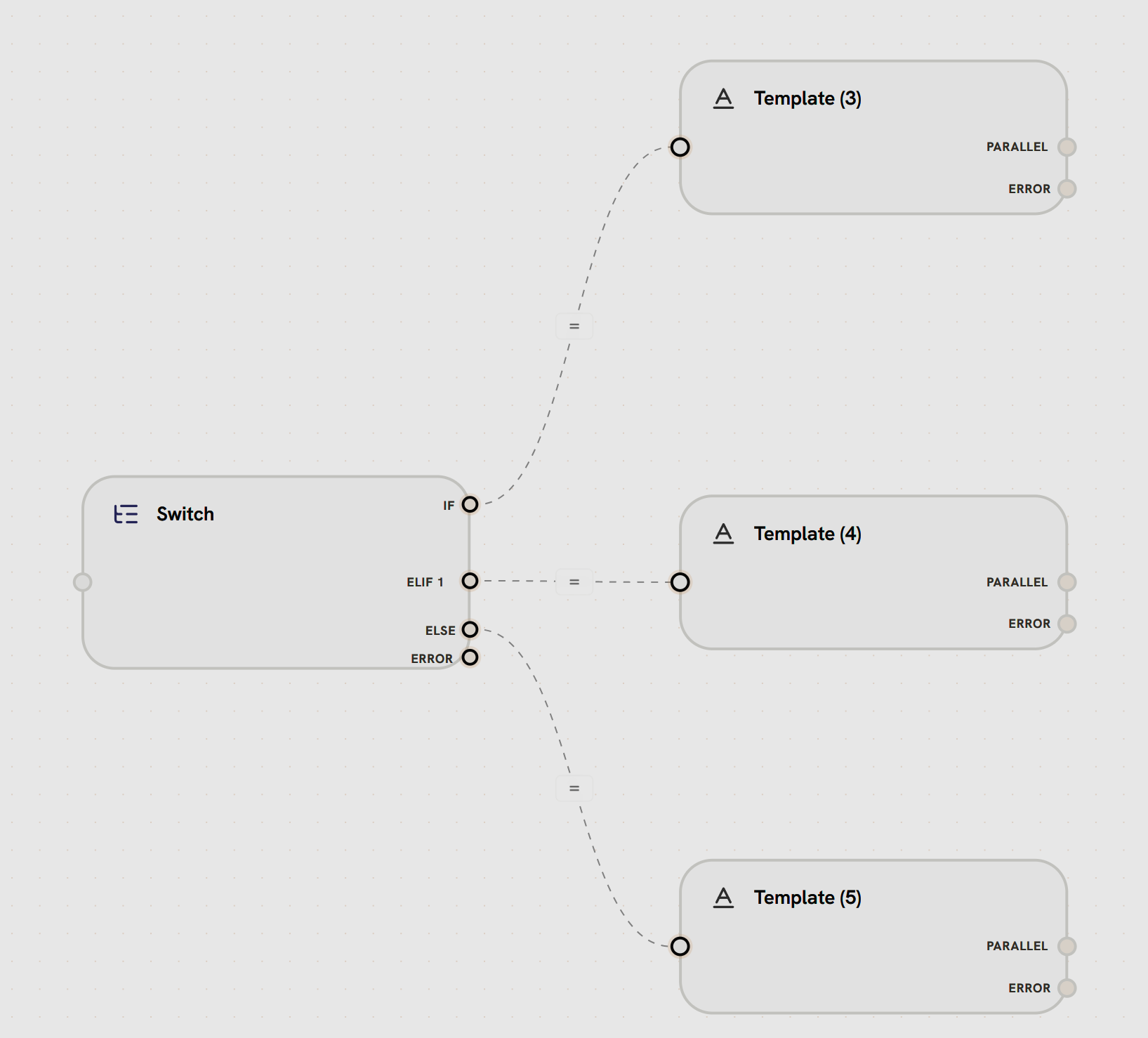
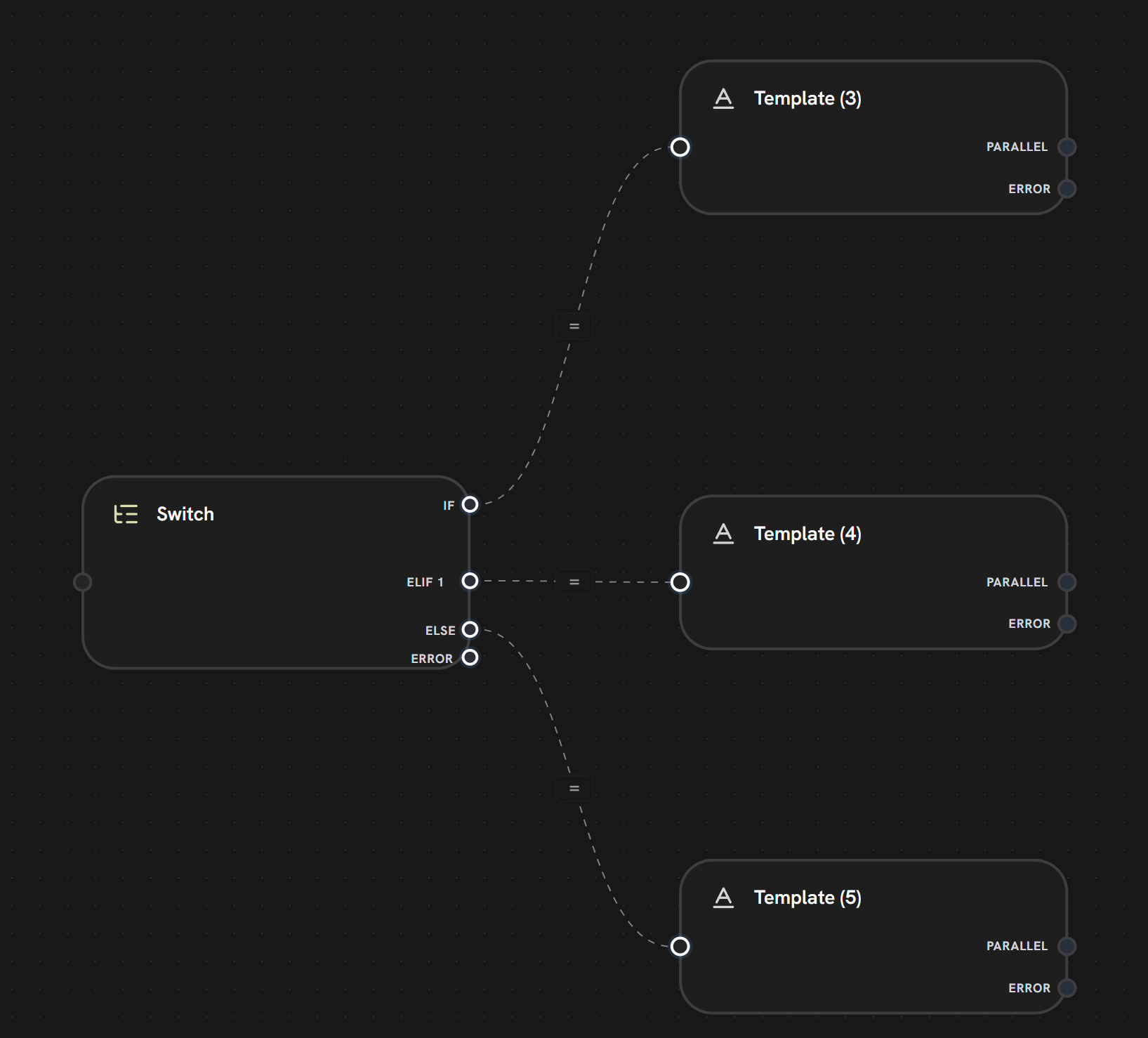
- Switch Node has 4 output handles: IF, ELIF 1, ELSE, ERROR
- IF branch (dashed line) routes to Template (3)
- ELIF 1 branch (dashed line) routes to Template (4)
- ELSE branch (dashed line) routes to Template (5)
- Each condition evaluates in order, only one path executes
- Conditional edges shown with dashed lines and equals sign icons
- IF Branch
- ELIF Branches
- ELSE Branch
First condition evaluated
- Primary condition check
- Executes if condition is true
- Can use AND/OR logic
if or specific branch ID- Multiple output handles on the switch node
- Each handle labeled with branch type (IF/ELIF/ELSE)
- Only one path executes per switch
What’s Next?
Switch Node
Master conditional branching logic
Merge Node
Combine conditional branches
Parallel Edges
Learn about standard execution flow
Error Edges
Handle failures in conditional paths