

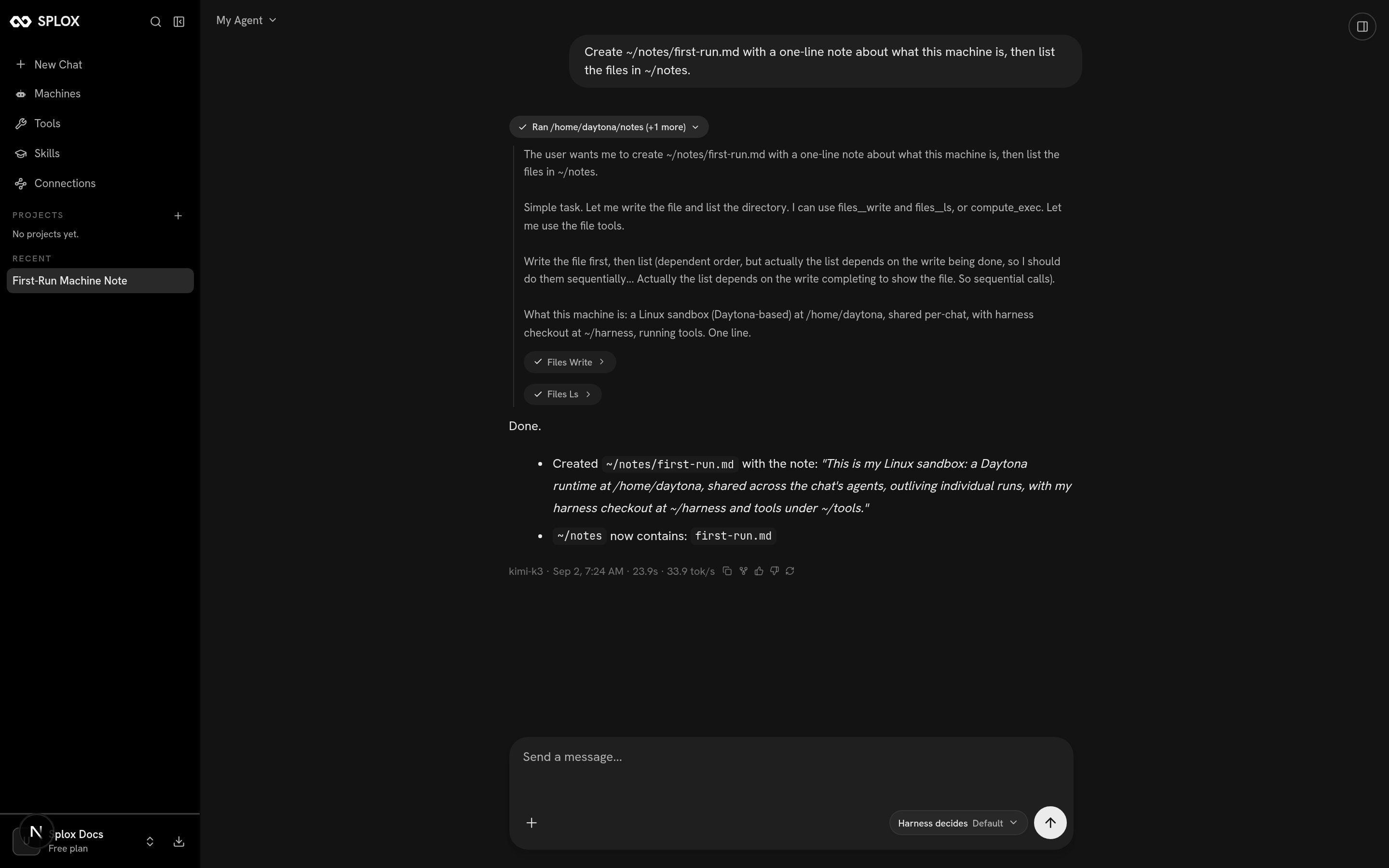
One turn: the agent decides what to do, runs it on its machine, and reports what happened
/home/daytona/notes/first-run.md
on its own filesystem and listed the directory afterwards. Open a new chat
tomorrow and the file is still there, because the machine is still there.
It changes itself when you ask
Who the agent is — what it is told, which model it thinks with, which tools it has, what runs on its machine at night — is not a settings page. It is a small git repository on the machine, the harness, and the agent edits it. You do not write that code. You say what you want:- “Give yourself a tool that logs my expenses.”
- “Answer me in Telegram, not just here.”
- “Every morning, leave me a briefing on the machine.”
- “Be shorter. Stop asking before you run things.”
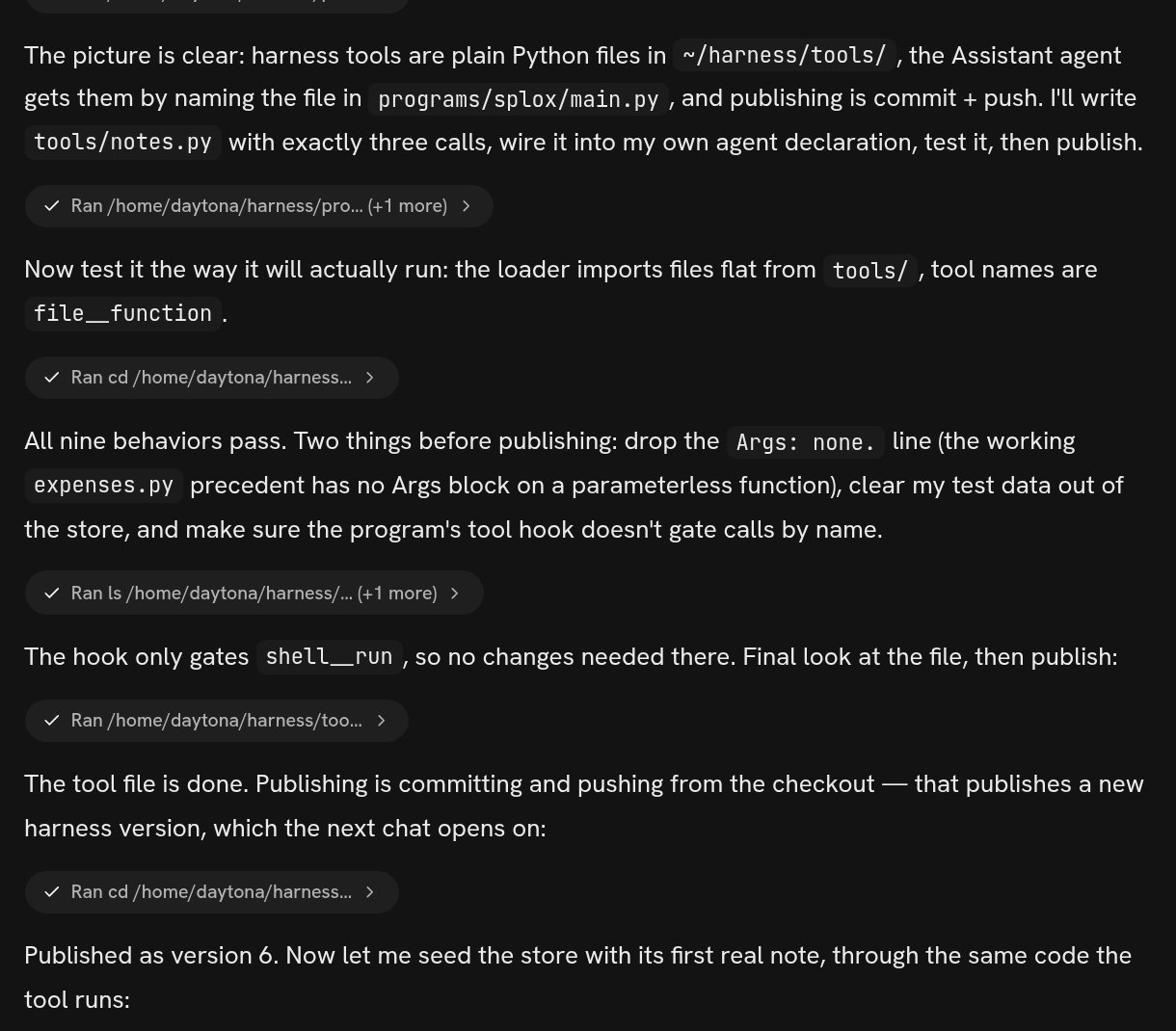
Asked for a tool, in words: the agent wrote it, tested it, and published version 6
What it is not
- Not a chatbot. It has a shell, a filesystem, a package manager, a real browser, and it starts programs that keep running after the tab closes.
- Not a workflow canvas. There are no nodes and no edges to draw. If the agent needs a branch, it writes one. If you used the old Splox, what changed is the map from that vocabulary to this one.
- Not a sandbox that resets. The disk survives. A stopped machine keeps its files and comes back where it left off.
- Not something you configure. There is a form for almost nothing. The configuration is the conversation, and the record of it is the version history.
Who it is for
People who want an outcome and are willing to describe it once: a report compiled from four sources, a repository audited, a scraper written and left running, a mailbox watched, a bot that answers in their place. You can look at what the agent wrote — the machine opens in VS Code and over SSH, and the harness is ordinary Python — and sometimes you will want to. That is looking inside, and it is optional. The account you sign up with already has a working agent and a machine to run it on.Your first hour
1
Send a message
Sign in, type into the composer, and watch the tool calls appear as the agent
works. Nothing to set up: the machine and the harness are created with the
account. Quickstart.
2
Give it something with a file in it
Ask for something that leaves a result on disk — a scraped list, a converted
document, a script. Then open a new chat and ask it to read what it wrote.
The point of the machine is the second half of that sentence.
3
Ask it to change
“Give yourself a tool for X”, “answer me in Telegram”, “be shorter”. Watch it
edit its own harness and publish a version. Then ask what version it is on.
Ask.
4
Read the vocabulary
Six words carry the rest of this documentation: machine, harness, program,
agent, run, chat. Concepts is one page that fits them
together.
Quickstart
Sign in and get a first result out of the machine.
Ask
A tool, a bot, a schedule, a different manner — what to say and what happens.
Look inside
What is on the machine, which version it runs, how to go back.
Reference
The exact shape of the harness, for your agent to read.