

What you say
One message, in an ordinary chat:What came back
The agent read the tools its harness already had, tooktools/notes.py as the
house pattern for “keep data on this machine”, and wrote a new file with three
functions: calls__log, calls__recent, calls__forget. The store
is one append-only JSONL file at ~/.calls/calls.jsonl. It added the file to the
Assistant’s tool list, added one line to the Assistant’s prompt so the model
reaches for it unprompted, wrote a test case into the harness, committed, and
pushed.
Three functions, not one, and the third is forget — because an append-only log
that cannot be corrected is a log people stop trusting. Nothing in the message
asked for that. This is the part you get for describing an ability instead of a
function.
The tool it wrote, as the model sees it
The tool it wrote, as the model sees it
A tool file is plain Python. The platform derives the tool’s description from the
first line of the docstring and its arguments from the type hints, so the
docstring is not a comment — it is the contract the model reads before calling.Those
ValueErrors are not defensive programming. A tool that raises goes back
to the model as text, so the message is an instruction to whoever misused it —
and whoever misused it is the model, which will read it and call again correctly.
The same file refuses an unparseable date rather than silently logging today:when must be an ISO date, like 2026-09-01 or 2026-09-01T15:04 — %r is not one.Leave when empty to log the call as happening now.
Wiring it in — the one line that makes it exist
Wiring it in — the one line that makes it exist
A file in The agent edited that line itself. See Tools for the naming rule
that turns
tools/ is nothing until an agent is given it. That is one line in
programs/splox/main.py:log in calls.py into calls__log at the model.It tested itself, and found its own bug
Before pushing, the agent ran the platform’s own schema deriver over the file — the same code the tool server runs — and confirmed what the model would be shown:contact and about required, when and notes optional with defaults. Then
it exercised every path against a throwaway home directory.
Two of its own test assertions turned out to be wrong rather than the tool, which
it worked out and said so. One real bug it did find and fix: forget() reported
the deleted call as 00:00: kickoff, which reads like nonsense. It rewrote the
message.
It also left a test behind in the harness, and the second scenario in it is the
whole point of the tool:
The call log: one conversation, two turns — log a call, then read it back in a second run. The second scenario is the one that matters: it passes only if what the first run logged is still on this machine’s disk when the next run asks for it.
Evals run against the published version, not your working copy. The agent
discovered this by trying it the other way round: publish first, then run the
case against the new version. See Evals.
Publishing, on a machine somebody else is also using
The push is the publish. It goes through the platform’s git proxy, which loads the tree and refuses it if a file does not import — so a broken tool cannot become a version. This particular push was refused, and the reason is worth reading: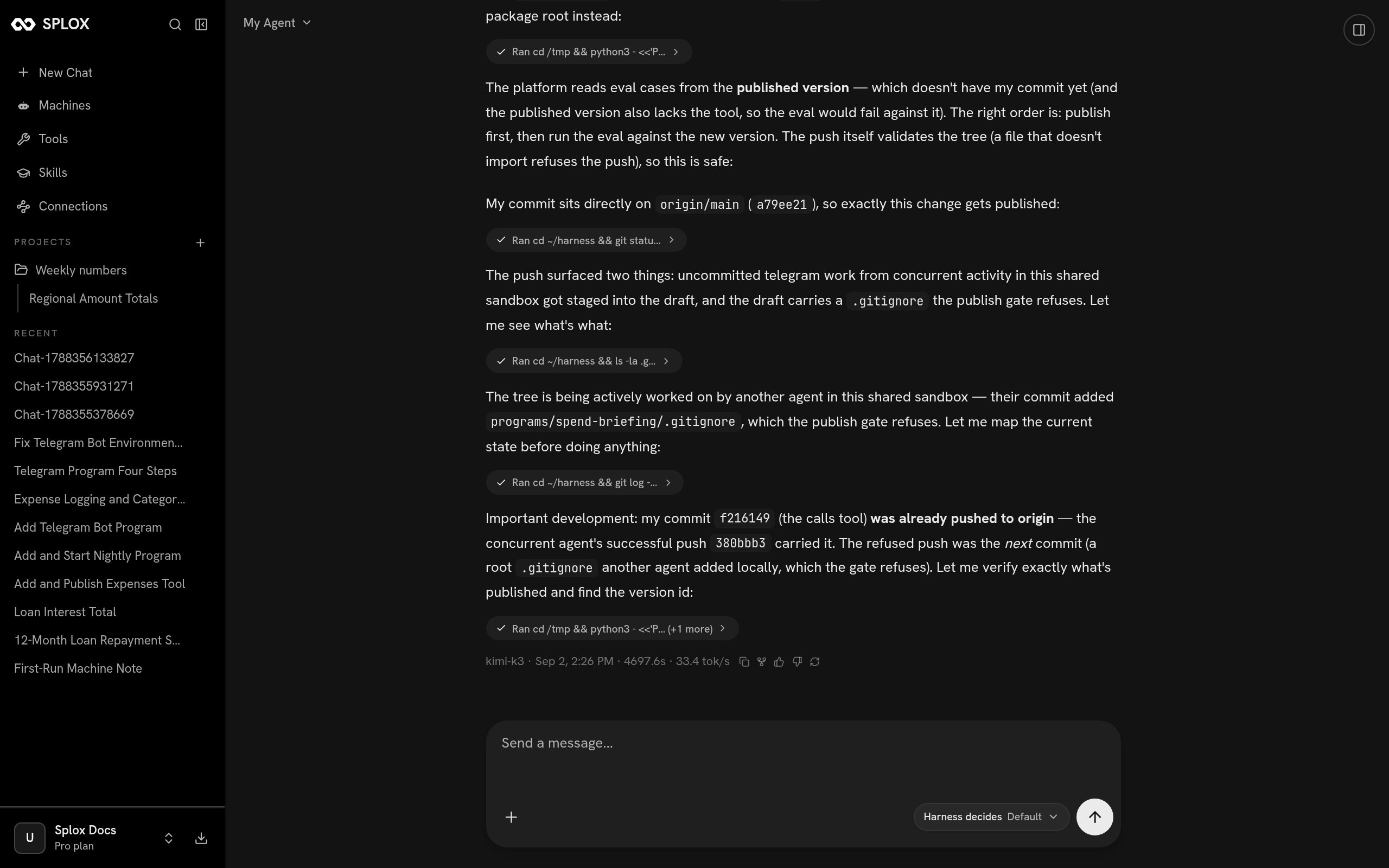
The push is refused, and the agent works out why: a second agent is committing to the same harness
.gitignore is refused, and one had been added by somebody else’s
commit. And the agent’s own commit had already reached the remote, carried there
by that other agent’s successful push a minute earlier.
The version history bears that out. The tool went up inside a version whose
message is about something else entirely:
There is no version history screen in the app. Ask your agent — it reads the
list from the platform and tells you which number carried what. See
Versions.
What you have now
A published version of your agent with an ability nobody else’s agent has. From the next run onwards the model is offeredcalls__log, calls__recent and
calls__forget by name, alongside its built-in tools, and the data sits on the
machine rather than in a conversation — which is what makes the answer to “what
were the last calls with Anna” survive the chat you asked it in.
That last claim is the one to check yourself, and checking it is one message in a
new chat:
The Tools screen in the app lists MCP servers and system tools. A tool that
lives in your harness does not appear there — it is part of your agent, not a
connection. Ask your agent what tools it has and it will read its own
main.py and tell you.Next
A job that runs every day
The same publish-a-version loop, applied to something that runs without you.
Tools
The reference: how a file becomes a tool, what the docstring must carry, what an error does.