

The three ways a tool arrives
A platform package
system:compute, system:search, system:media and the rest. The platform
runs them, credentials them and bills them. Nothing to install.An MCP server you connect
Something from the catalog, or your own server by URL. It
gets a uuid, and that uuid is what an agent names.
A file in your harness
tools/notes.py in your own repository. One file, one docstring, no publish
step to see it change. See writing your own.catalog.json is
the platform’s record of the same thing — the packages, the names inside them,
the keys of the environment secrets and
the models the machine may name:
~/harness/tools/, and a
long-lived process in the sandbox imports it and answers the calls. Its tools are
offered to the model by name — telegram.py with a notify in it is the tool
telegram__notify.
An MCP server has no file anywhere. The platform holds the connection, calls
the server over the wire and attaches your credential on the way out; its tools
are offered to the model by their own slugs.
How a tool is chosen for a turn
Three decisions, in this order. The agent’s declaration decides which sources exist for it at all. Each entry intools=[…] names a platform source, a file of your tools/ tree, or the uuid
of a server you connected:
~/tools/ and running the code with compute_exec. An MCP server is the
exception: it has to be named in tools, because there is nothing on the machine
to import.
A # narrows an entry to particular tools:
"system:compute#compute_read_file,compute_grep" is those two and nothing else.
The full rules are in Tools.
The account decides which platform packages exist for every agent on it. The
Tools screen lists them under System tools, each marked Available in every
run with a Turn off beside it:
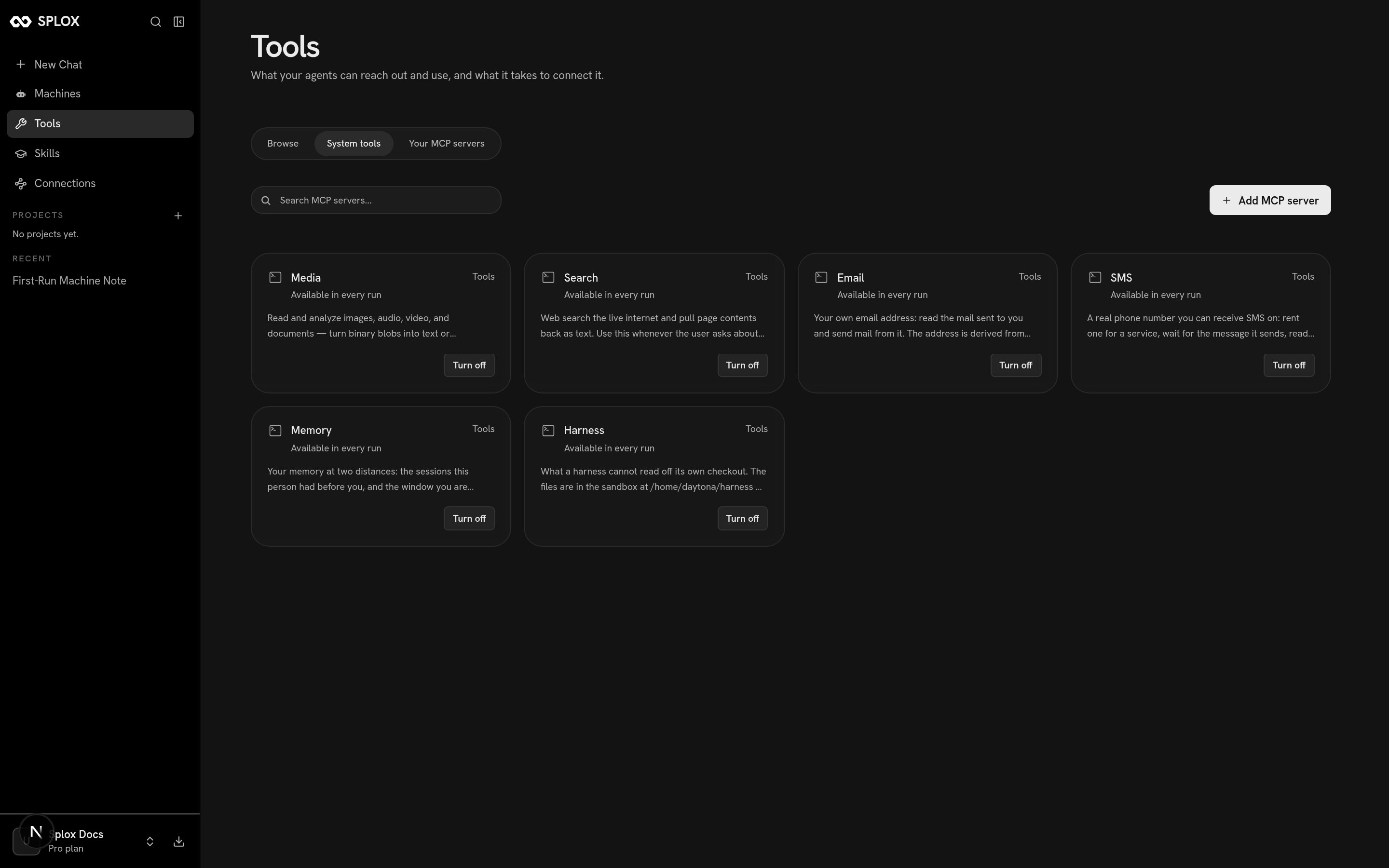
System tools: the platform packages this account gives its agents
hooks/tools.py decides what a particular call may do. It sees the call by
name with its arguments before it runs, and can deny it with a sentence the model
reads:
The packages
system:compute is the odd member of the set: it is the runner every other tool
executes through, which is why your own tools import it rather than the agent
calling it for them.
Where to go next
The MCP catalog
The servers you can add to your account, and what shows up afterwards.
Connections
OAuth, tokens and headers: where a credential is kept and how to revoke it.
Driving a browser
Which job belongs on the desktop, which belongs in the CLI, and what a captcha means.
Writing your own
One file, one docstring, and the agent has a new tool on the next call.