

The part you have to do yourself
Make the bot. Message @BotFather on Telegram, send/newbot, answer two questions, and it hands you a token that looks like
123456789:AAH....
This is one of the very few steps in these tutorials your agent cannot do for
you: it needs a Telegram account, which needs a phone number, which is a person.
A minute of your time, once.
Put the token where the machine can read it. Open Connections → Secrets
and add it as TELEGRAM_BOT_TOKEN.
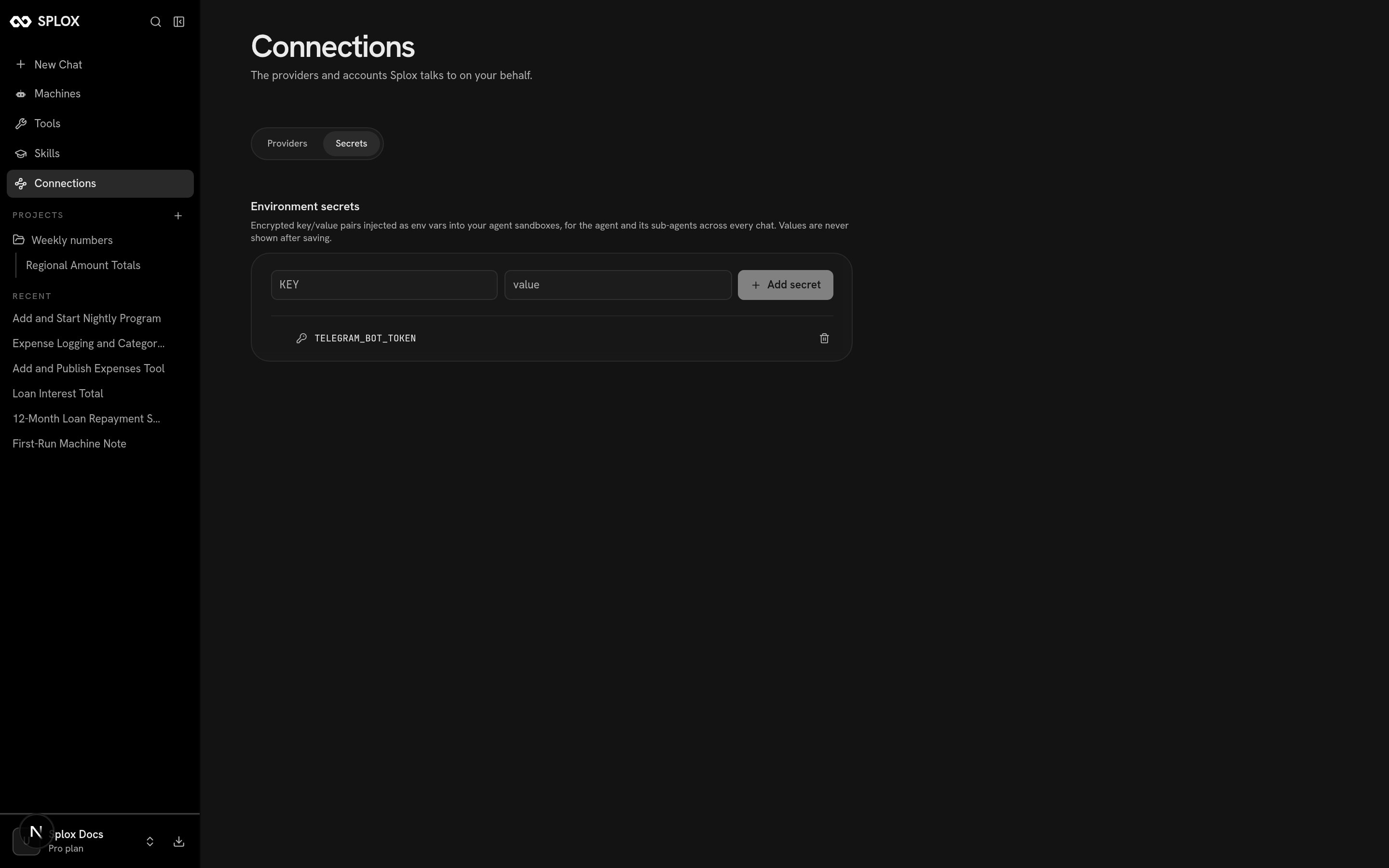
Environment secrets are injected into the machine's shells; the value is never shown again
What you say
Then it is one message:The one line that matters: who answers
The old program in the harness declared a bot-only agent of its own:Delegating to the agent the chat talks to
Delegating to the agent the chat talks to
program("splox").assistant hands back the very agent declared in
programs/splox/main.py — the one a chat in the app reaches, with its tools, its
skills and its hooks. The program is the delivery loop; the harness is the brain.chat_id is what makes one Telegram chat one conversation: the run’s .chat_id
is stored per person and handed back on their next message, so they continue
instead of starting over. The map and the update offset live in a JSON file on
the machine, so a restart does not lose anybody’s thread or answer a message
twice.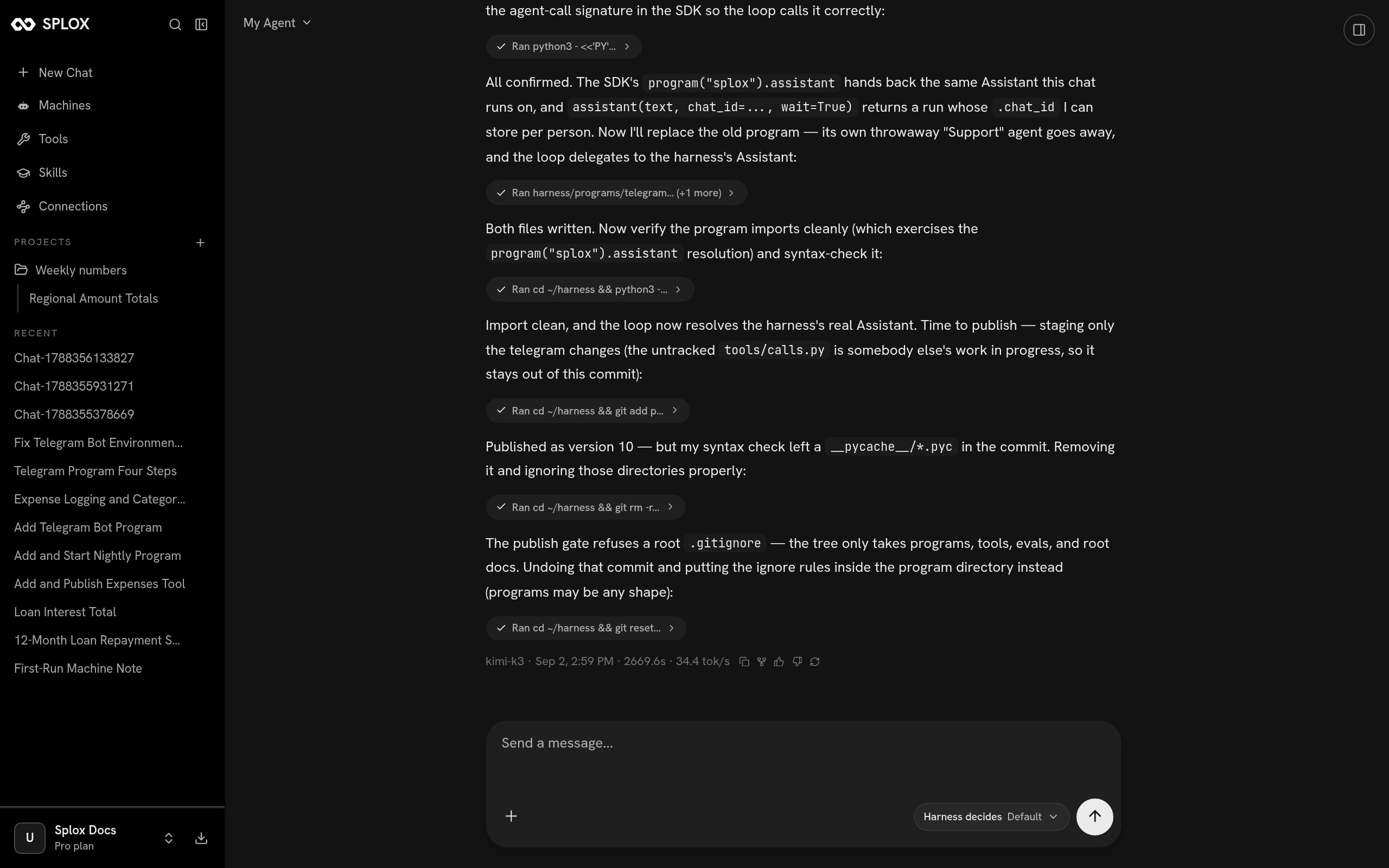
Version 10: the throwaway agent gone, the loop delegating, and two publish rules learned the hard way
__pycache__/*.pyc will get committed if you are not looking, and the publish
gate refuses a root .gitignore — the tree takes programs, tools, evals and
root documents, so an ignore file belongs inside the program directory, where a
program may be any shape it likes.
The failure worth reading
An earlier version of this bot was published, started, and printedpolling as @… to its log. Everything looked right. It had never answered a
single message, and the state file that would have proved otherwise did not
exist.
The platform’s error was this:
main.py is not only run as a process. The platform imports it whenever
it needs to ask who an agent is — and that import happens in a context that does
not carry your machine’s secrets. So the loop ran fine, took a message, asked the
platform to run its agent, and the platform could not import the file to find out
who that agent was. The bot polled forever and answered nobody.
The fix is to read the secret where it is used, and the comment the agent left
behind says why better than a rule would:
Checking on it
Ask your agent. It is on the machine the bot runs on, so “is the bot polling, and has anybody messaged it?” is answered by looking: the process,/tmp/telegram.log,
and the state file with one entry per person.
What is not shown on this page is a screenshot of Telegram itself, because the
account behind this bot belongs to a person and these tutorials were driven by
asking rather than by tapping a phone. The publish, the delegation and the
polling are all shown above; the last hop is the Bot API’s, and it is the part
you will see first.
Next
Patterns
A router, a nightly job and a fan-out over many items, in the same shape as this one.
Programs
What the platform reads out of a program, what it never opens, and how a program calls its agents.