> ## Documentation Index
> Fetch the complete documentation index at: https://docs.splox.io/llms.txt
> Use this file to discover all available pages before exploring further.
# The MCP catalog
> Browsing the catalog, adding a server to your account, and what an agent names afterwards
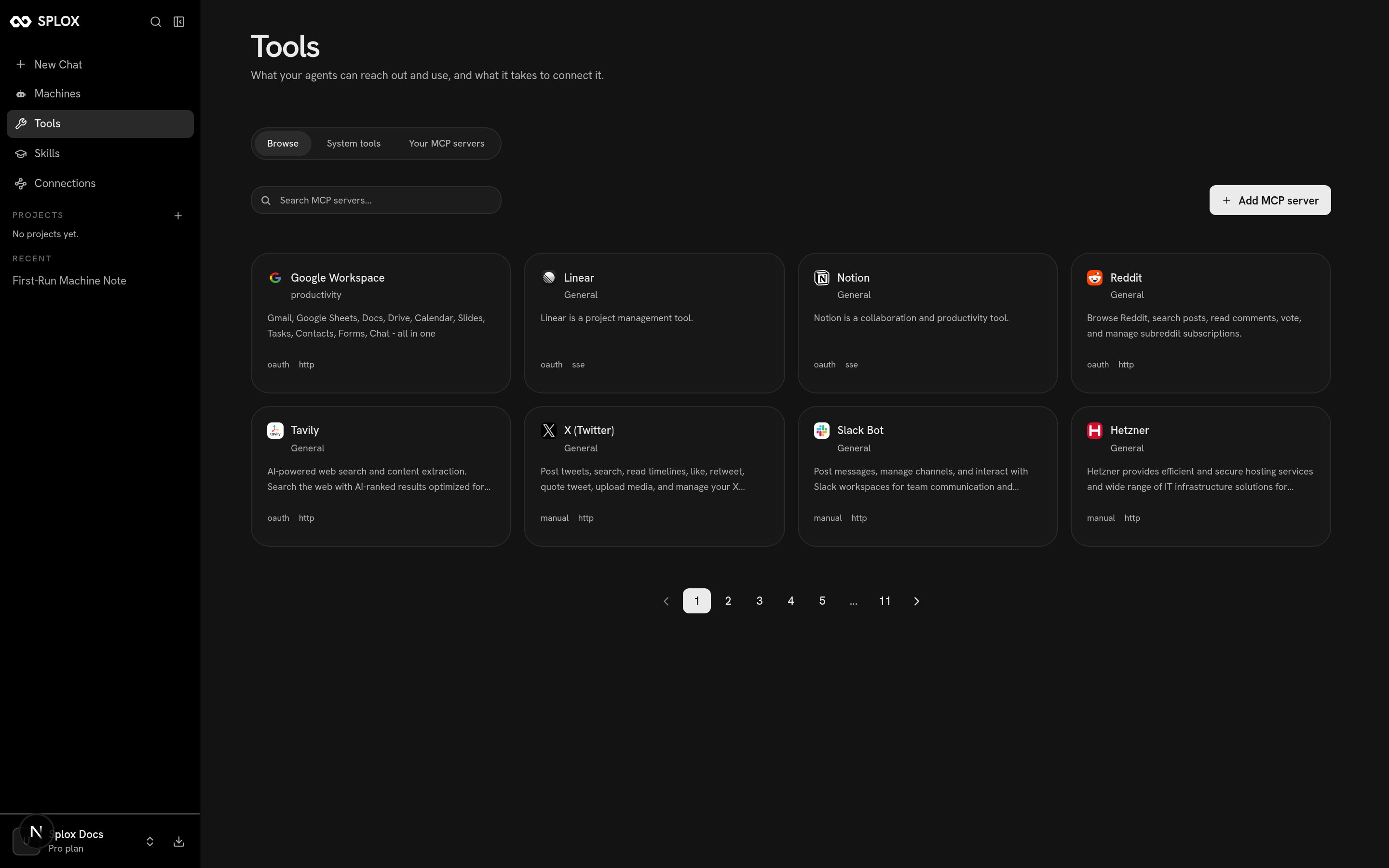
The catalog is the list of MCP servers Splox already knows how to talk to. You
pick one, connect it once, and your agents can call its tools. It lives on the
**Tools** screen, under **Browse**.
 ## What a catalog entry is
An entry is a server somebody else runs, plus everything Splox needs to reach it
on your behalf. This is one, as the app fetches it:
```bash theme={null}
curl -s "https:///api/v1/mcp-catalog?page=1&per_page=8" \
-H "Cookie: session=$SESSION"
```
```json theme={null}
{
"mcp_servers": [
{
"id": "019b0a48-1145-7805-a4cb-7069736e6978",
"name": "Reddit",
"description": "Browse Reddit, search posts, read comments, vote, and manage subreddit subscriptions.",
"url": "https://mcp.splox.io/reddit/mcp",
"transport_type": "http",
"auth_type": "oauth",
"auth_config": {
"oauth_scopes": "identity read submit vote mysubreddits subscribe history edit"
},
"image_url": "https://splox-app.s3.amazonaws.com/mcp-icons/reddit.png",
"is_featured": true
}
],
"current_page": 1,
"per_page": 8,
"total_count": 83,
"total_pages": 11
}
```
The two fields that decide what connecting feels like:
`http` or `sse`. How Splox speaks to the server. The catalog knows the right
one; you only choose it when you add a server of your own.
`oauth` — you are redirected to the provider and come back with a token.
`manual` — you paste API keys into named fields. Either way the credential is
held by the platform, not by your harness. See [Connections](/tools/connections).
Some entries are Splox's own bridges to a service (`mcp.splox.io/reddit/mcp`),
some are the vendor's own server (`mcp.linear.app/sse`, `mcp.notion.com/sse`).
The distinction does not change anything about how you use it.
`per_page` is capped at 20 by the server, whatever you ask for. Page through with
`page=`, or use the search box in the app.
## Adding one
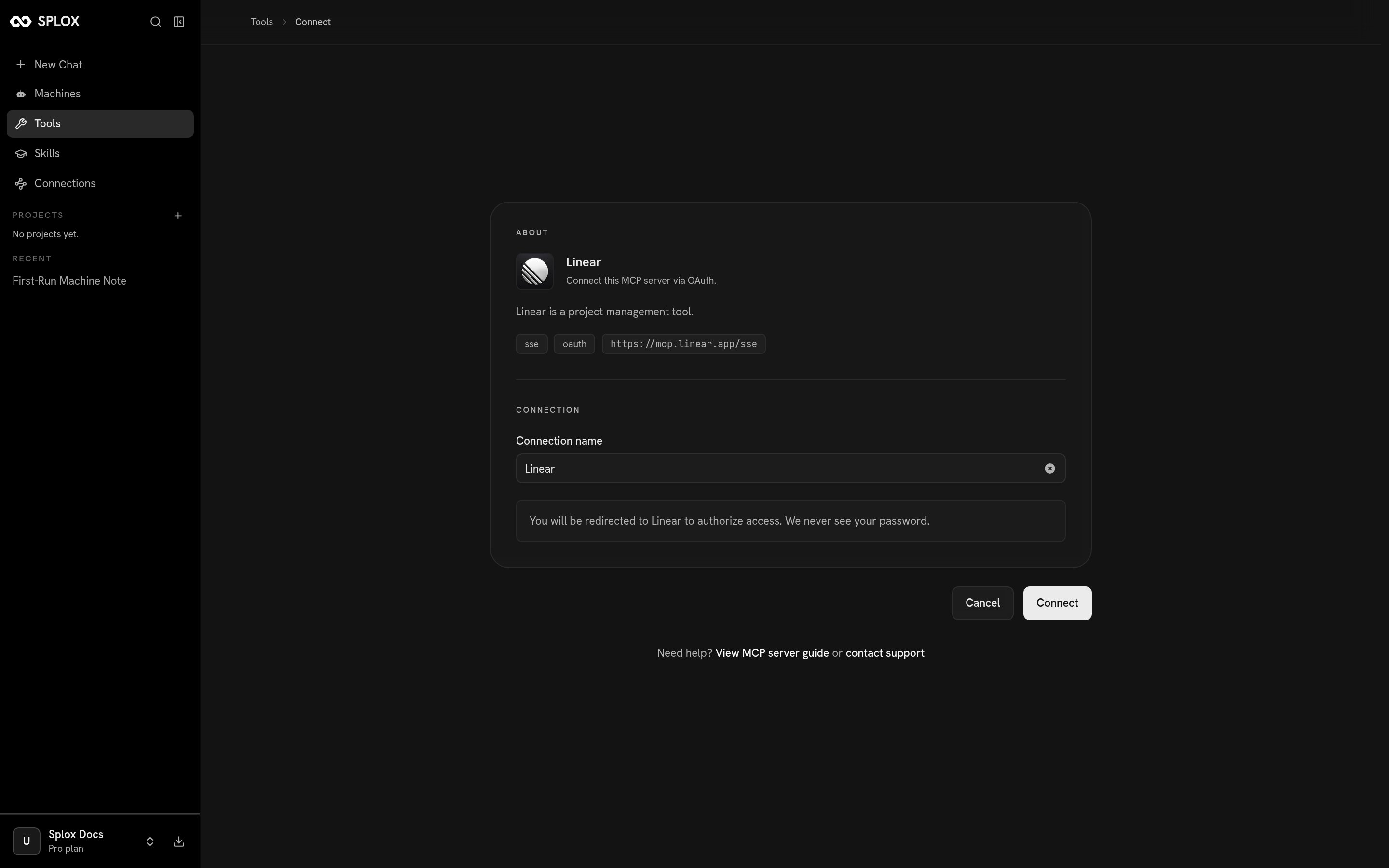
Click the card. You get a page that shows what the server is, the URL it lives
at, and a form for the one thing Splox does not already know — who you are on the
other side.
```text OAuth theme={null}
ABOUT
Linear · Connect this MCP server via OAuth.
sse oauth https://mcp.linear.app/sse
CONNECTION
Connection name: Linear
You will be redirected to Linear to authorize access. We never see your password.
[Cancel] [Connect]
```
```text Manual theme={null}
ABOUT
X (Twitter) · Connect this MCP server to your account.
http manual https://mcp.splox.io/x/mcp
CREDENTIALS
Connection name: X (Twitter)
+ How to get your credentials
X-api-key * X-api-secret *
X-access-token * X-access-token-secret *
X-bearer-token *
[Cancel] [Connect]
```
## What a catalog entry is
An entry is a server somebody else runs, plus everything Splox needs to reach it
on your behalf. This is one, as the app fetches it:
```bash theme={null}
curl -s "https:///api/v1/mcp-catalog?page=1&per_page=8" \
-H "Cookie: session=$SESSION"
```
```json theme={null}
{
"mcp_servers": [
{
"id": "019b0a48-1145-7805-a4cb-7069736e6978",
"name": "Reddit",
"description": "Browse Reddit, search posts, read comments, vote, and manage subreddit subscriptions.",
"url": "https://mcp.splox.io/reddit/mcp",
"transport_type": "http",
"auth_type": "oauth",
"auth_config": {
"oauth_scopes": "identity read submit vote mysubreddits subscribe history edit"
},
"image_url": "https://splox-app.s3.amazonaws.com/mcp-icons/reddit.png",
"is_featured": true
}
],
"current_page": 1,
"per_page": 8,
"total_count": 83,
"total_pages": 11
}
```
The two fields that decide what connecting feels like:
`http` or `sse`. How Splox speaks to the server. The catalog knows the right
one; you only choose it when you add a server of your own.
`oauth` — you are redirected to the provider and come back with a token.
`manual` — you paste API keys into named fields. Either way the credential is
held by the platform, not by your harness. See [Connections](/tools/connections).
Some entries are Splox's own bridges to a service (`mcp.splox.io/reddit/mcp`),
some are the vendor's own server (`mcp.linear.app/sse`, `mcp.notion.com/sse`).
The distinction does not change anything about how you use it.
`per_page` is capped at 20 by the server, whatever you ask for. Page through with
`page=`, or use the search box in the app.
## Adding one
Click the card. You get a page that shows what the server is, the URL it lives
at, and a form for the one thing Splox does not already know — who you are on the
other side.
```text OAuth theme={null}
ABOUT
Linear · Connect this MCP server via OAuth.
sse oauth https://mcp.linear.app/sse
CONNECTION
Connection name: Linear
You will be redirected to Linear to authorize access. We never see your password.
[Cancel] [Connect]
```
```text Manual theme={null}
ABOUT
X (Twitter) · Connect this MCP server to your account.
http manual https://mcp.splox.io/x/mcp
CREDENTIALS
Connection name: X (Twitter)
+ How to get your credentials
X-api-key * X-api-secret *
X-access-token * X-access-token-secret *
X-bearer-token *
[Cancel] [Connect]
```
 The **Connection name** is yours — it is how the server appears in your own list
afterwards, and it matters when you connect the same provider twice for two
different accounts.
## Adding a server that is not in the catalog
**Add MCP server** takes a URL instead of an entry. You choose the transport
yourself, and authentication is either none or custom headers.
The **Connection name** is yours — it is how the server appears in your own list
afterwards, and it matters when you connect the same provider twice for two
different accounts.
## Adding a server that is not in the catalog
**Add MCP server** takes a URL instead of an entry. You choose the transport
yourself, and authentication is either none or custom headers.
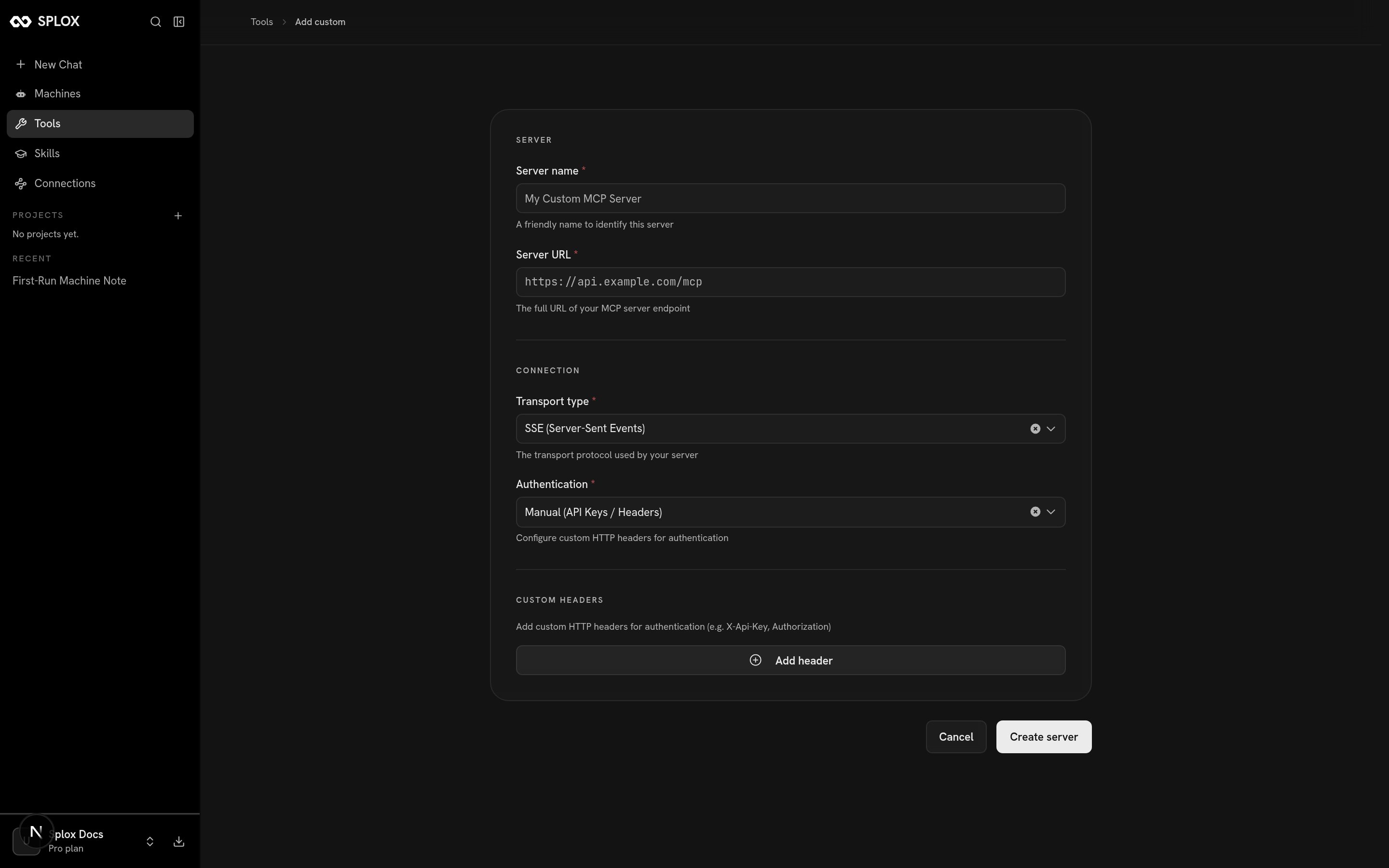 The app posts what you typed:
```bash theme={null}
curl -s -X POST "https:///api/v1/user-mcp-servers" \
-H "Cookie: session=$SESSION" -H "Content-Type: application/json" \
-d '{"name":"DeepWiki","url":"https://mcp.deepwiki.com/mcp",
"transport_type":"http","auth_type":"manual","custom":true,
"credentials":{},"auth_config":{"required_headers":[]}}'
```
```json theme={null}
{
"server": {
"id": "01a06134-991c-7fb2-a7ff-518d188c1608",
"name": "DeepWiki",
"url": "https://mcp.deepwiki.com/mcp",
"transport_type": "http",
"auth_type": "manual",
"auth_config": {"required_headers": []},
"is_system": false,
"created_at": "2026-09-02T08:20:32.154318Z"
},
"status": "created"
}
```
That `id` is the point of the whole exercise. It is what an agent's `tools` entry
names.
## What you have afterwards
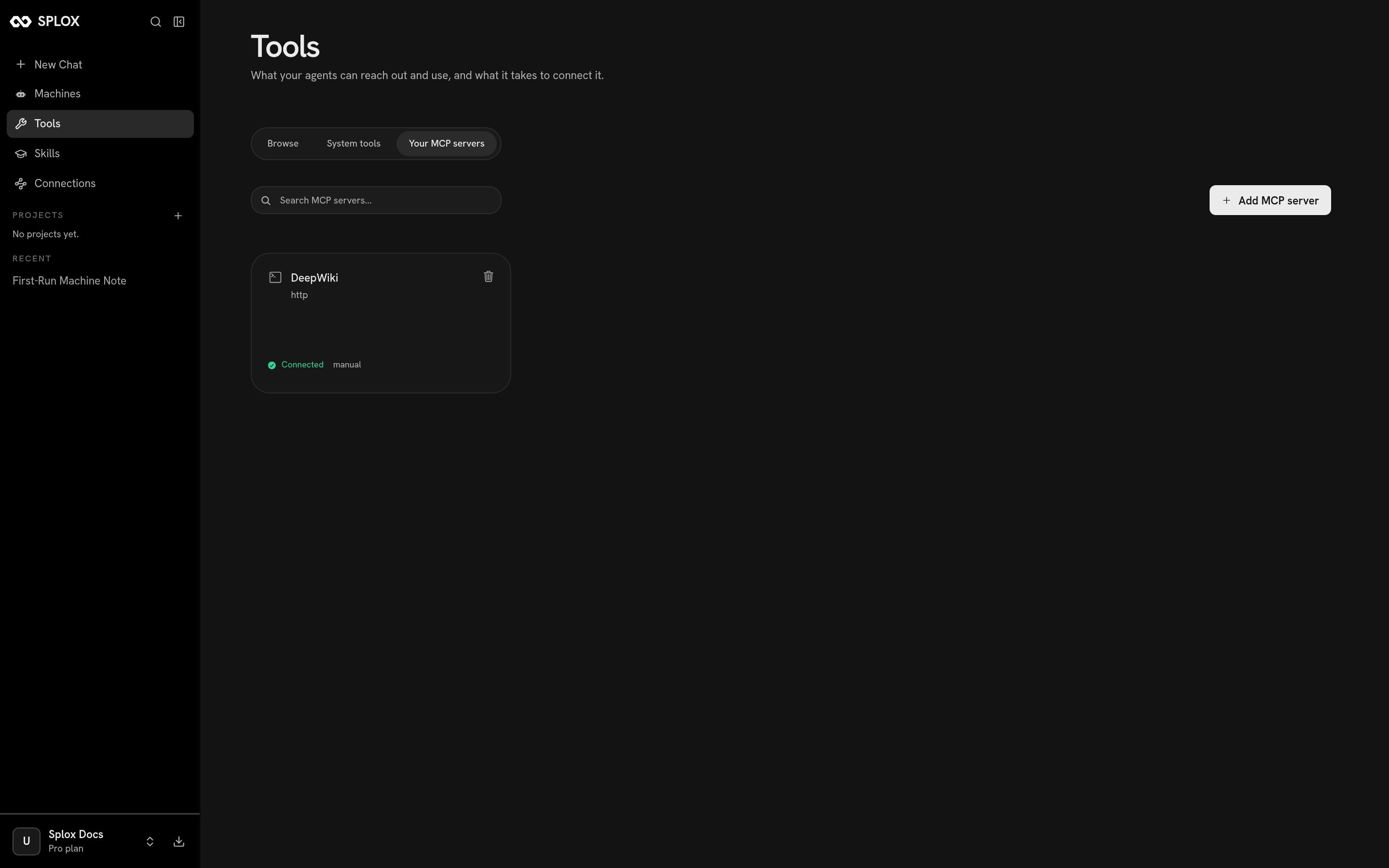
The server shows up under **Your MCP servers**, with its transport, its auth type
and a trash icon that removes it.
The app posts what you typed:
```bash theme={null}
curl -s -X POST "https:///api/v1/user-mcp-servers" \
-H "Cookie: session=$SESSION" -H "Content-Type: application/json" \
-d '{"name":"DeepWiki","url":"https://mcp.deepwiki.com/mcp",
"transport_type":"http","auth_type":"manual","custom":true,
"credentials":{},"auth_config":{"required_headers":[]}}'
```
```json theme={null}
{
"server": {
"id": "01a06134-991c-7fb2-a7ff-518d188c1608",
"name": "DeepWiki",
"url": "https://mcp.deepwiki.com/mcp",
"transport_type": "http",
"auth_type": "manual",
"auth_config": {"required_headers": []},
"is_system": false,
"created_at": "2026-09-02T08:20:32.154318Z"
},
"status": "created"
}
```
That `id` is the point of the whole exercise. It is what an agent's `tools` entry
names.
## What you have afterwards
The server shows up under **Your MCP servers**, with its transport, its auth type
and a trash icon that removes it.
 Ask the platform what it exposes:
```bash theme={null}
curl -s "https:///api/v1/user-mcp-servers/01a06134-991c-7fb2-a7ff-518d188c1608/tools" \
-H "Cookie: session=$SESSION"
```
```json theme={null}
{
"options": [
{"label": "Ask Question", "value": "ask_question"},
{"label": "Read Wiki Contents", "value": "read_wiki_contents"},
{"label": "Read Wiki Structure", "value": "read_wiki_structure"}
],
"total": 3
}
```
Then give it to an agent, by uuid, in `programs//main.py`:
```python theme={null}
researcher = agent(
"Researcher",
system_prompt=prompt("researcher"),
model="kimi-k3",
provider="splox",
tools=[
"system:compute",
"01a06134-991c-7fb2-a7ff-518d188c1608", # every tool it has
# "01a06134-991c-7fb2-a7ff-518d188c1608#ask_question", # or just this one
],
)
```
No file in the checkout lists your servers, so from inside a run the way to find
the uuid and the slugs is to ask:
```python theme={null}
from tools.harness import harness_mcp_servers, harness_mcp_tools
for server in harness_mcp_servers():
print(server["mcp_server_id"], server["name"])
print([t["name"] for t in harness_mcp_tools("system:search")["tools"]])
```
```text theme={null}
system:compute Compute
system:media Media
system:search Search
system:email Email
system:sms SMS
system:memory Memory
system:harness Harness
['fetch', 'search']
```
Get a slug wrong and `git push origin main` refuses the publish, naming the file
and the slug — which is the cheapest place to find out. See
[Publishing a version](/inside/versions).
The v2 API has the same two questions as
[`GET /v2/tool-servers`](/api/tool-servers), with `system:*` ids for the platform
packages and uuids for yours. Use that one from outside the product; the
`/api/v1` paths above are what the app itself calls.
Ask the platform what it exposes:
```bash theme={null}
curl -s "https:///api/v1/user-mcp-servers/01a06134-991c-7fb2-a7ff-518d188c1608/tools" \
-H "Cookie: session=$SESSION"
```
```json theme={null}
{
"options": [
{"label": "Ask Question", "value": "ask_question"},
{"label": "Read Wiki Contents", "value": "read_wiki_contents"},
{"label": "Read Wiki Structure", "value": "read_wiki_structure"}
],
"total": 3
}
```
Then give it to an agent, by uuid, in `programs//main.py`:
```python theme={null}
researcher = agent(
"Researcher",
system_prompt=prompt("researcher"),
model="kimi-k3",
provider="splox",
tools=[
"system:compute",
"01a06134-991c-7fb2-a7ff-518d188c1608", # every tool it has
# "01a06134-991c-7fb2-a7ff-518d188c1608#ask_question", # or just this one
],
)
```
No file in the checkout lists your servers, so from inside a run the way to find
the uuid and the slugs is to ask:
```python theme={null}
from tools.harness import harness_mcp_servers, harness_mcp_tools
for server in harness_mcp_servers():
print(server["mcp_server_id"], server["name"])
print([t["name"] for t in harness_mcp_tools("system:search")["tools"]])
```
```text theme={null}
system:compute Compute
system:media Media
system:search Search
system:email Email
system:sms SMS
system:memory Memory
system:harness Harness
['fetch', 'search']
```
Get a slug wrong and `git push origin main` refuses the publish, naming the file
and the slug — which is the cheapest place to find out. See
[Publishing a version](/inside/versions).
The v2 API has the same two questions as
[`GET /v2/tool-servers`](/api/tool-servers), with `system:*` ids for the platform
packages and uuids for yours. Use that one from outside the product; the
`/api/v1` paths above are what the app itself calls.