> ## Documentation Index
> Fetch the complete documentation index at: https://docs.splox.io/llms.txt
> Use this file to discover all available pages before exploring further.
# Parallel Edges
> Standard execution flow for concurrent node processing
## Parallel Edges (Default)
**Purpose:** Standard execution flow between nodes
Parallel edges are the default connection type. When a node completes, execution flows to all connected nodes simultaneously.
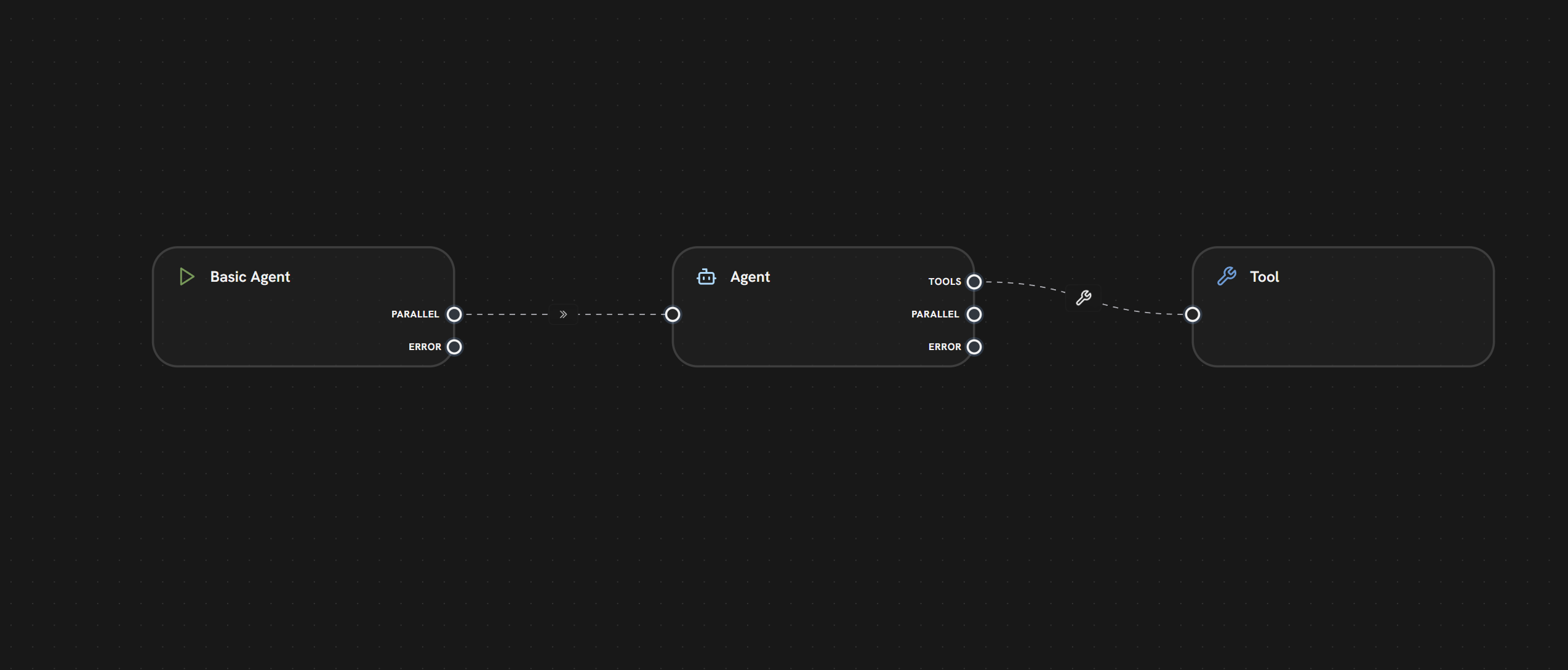 **In this example:**
* The **Entry Node** has one PARALLEL output handle
* A **parallel edge** connects to the **Agent Node**
* The Agent Node executes when Start completes
* The Agent receives the entry node's output data
**Characteristics:**
* **Concurrent Execution:** All target nodes run in parallel
* **No Waiting:** Each node starts as soon as its source completes
* **Data Cloning:** Source output is copied to all targets
**Use Cases:**
* Parallel API calls
* Multi-path workflows
* Fan-out patterns
* Independent processing streams
***
***
## What's Next?
Connect LLMs to tools for AI function calling
Route execution based on conditions
Handle node execution failures
View all edge types overview
**In this example:**
* The **Entry Node** has one PARALLEL output handle
* A **parallel edge** connects to the **Agent Node**
* The Agent Node executes when Start completes
* The Agent receives the entry node's output data
**Characteristics:**
* **Concurrent Execution:** All target nodes run in parallel
* **No Waiting:** Each node starts as soon as its source completes
* **Data Cloning:** Source output is copied to all targets
**Use Cases:**
* Parallel API calls
* Multi-path workflows
* Fan-out patterns
* Independent processing streams
***
***
## What's Next?
Connect LLMs to tools for AI function calling
Route execution based on conditions
Handle node execution failures
View all edge types overview