> ## Documentation Index
> Fetch the complete documentation index at: https://docs.splox.io/llms.txt
> Use this file to discover all available pages before exploring further.
# Machine
> The Linux computer an agent runs on: what persists, what start and stop do, and what a plan gives you
A machine is a Linux computer that belongs to you. An agent runs on it, writes to
its disk, and finds what it wrote there the next time — in the next turn, in the
next chat, tomorrow.
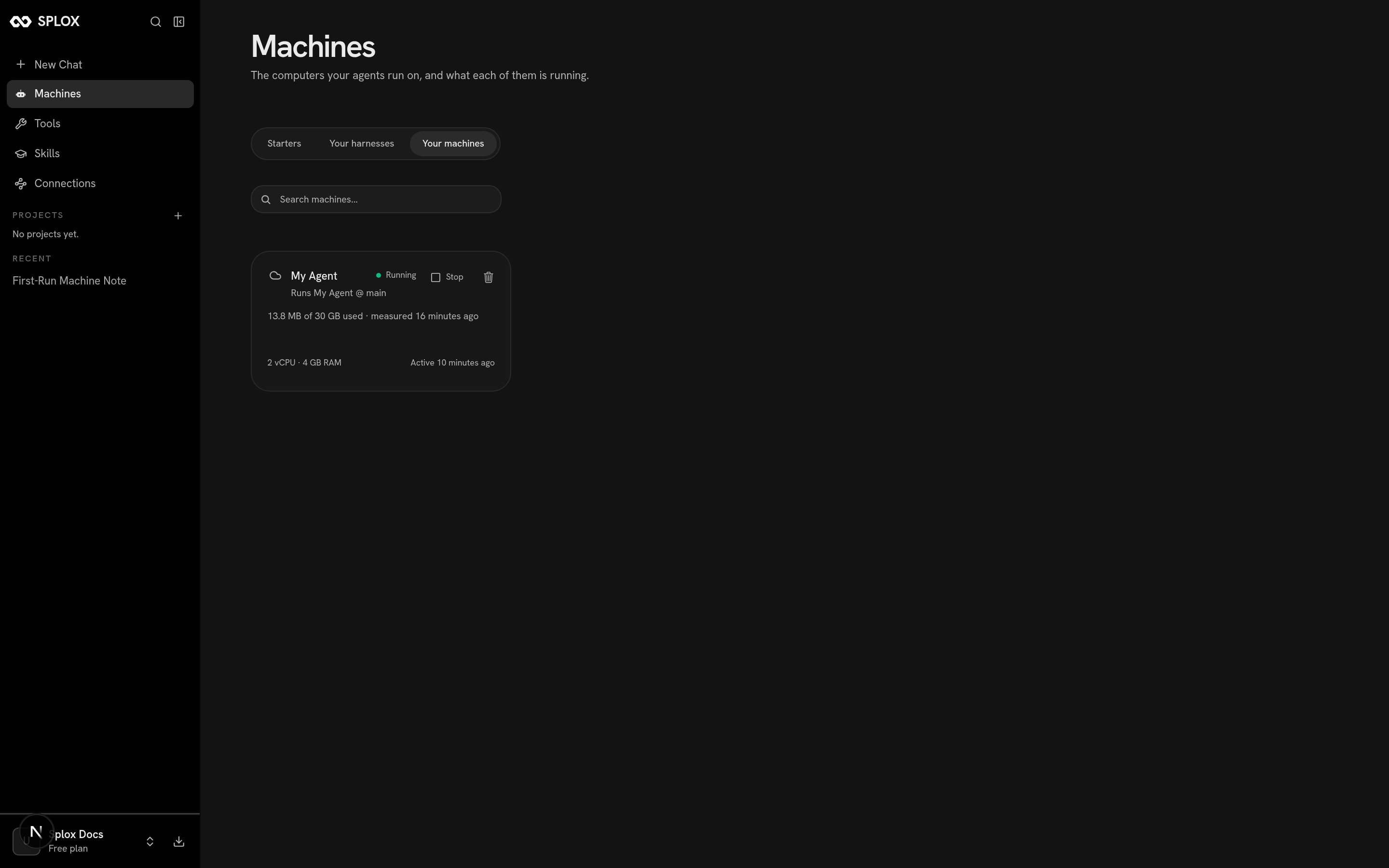
One is created for you when you sign up. Open **Machines** in the sidebar and
pick **Your machines** to see it.
 ## What it is
The agent's home is `/home/daytona`. Inside it:
| Path | What it holds |
| --------------- | ---------------------------------------------------------- |
| `~/harness` | The checkout of the harness this machine runs, at its ref. |
| `~/tools` | The platform's tool packages, as Python the agent imports. |
| `~/skills` | The skills library, one folder per skill. |
| everything else | Whatever the agent puts there. |
The card above reads `2 vCPU · 4 GB RAM` and `13.8 MB of 30 GB used`. The same
numbers come back from the app's own API, alongside the harness the machine runs:
```json theme={null}
{
"id": "01a060ee-ffb4-736c-9863-db1fee5c13df",
"kind": "sandbox",
"harness_id": "bb088abc-1f04-5282-84d7-1e52c6dbb0cd",
"harness_ref": "main",
"name": "My Agent",
"disk_used_bytes": 13815808,
"last_active_at": "2026-09-02T07:21:20Z",
"live": {
"state": "running",
"cpu": 2,
"memory_gb": 4,
"disk_gb": 30,
"auto_stop_minutes": 30
}
}
```
`harness_ref` is the interesting field: a machine runs **one** harness, at one
ref. Nothing else is checked out beside it, so there is nothing for `~/harness`
to collide with and no path to disambiguate. A second harness of yours runs on a
machine of its own.
## Start and stop
## What it is
The agent's home is `/home/daytona`. Inside it:
| Path | What it holds |
| --------------- | ---------------------------------------------------------- |
| `~/harness` | The checkout of the harness this machine runs, at its ref. |
| `~/tools` | The platform's tool packages, as Python the agent imports. |
| `~/skills` | The skills library, one folder per skill. |
| everything else | Whatever the agent puts there. |
The card above reads `2 vCPU · 4 GB RAM` and `13.8 MB of 30 GB used`. The same
numbers come back from the app's own API, alongside the harness the machine runs:
```json theme={null}
{
"id": "01a060ee-ffb4-736c-9863-db1fee5c13df",
"kind": "sandbox",
"harness_id": "bb088abc-1f04-5282-84d7-1e52c6dbb0cd",
"harness_ref": "main",
"name": "My Agent",
"disk_used_bytes": 13815808,
"last_active_at": "2026-09-02T07:21:20Z",
"live": {
"state": "running",
"cpu": 2,
"memory_gb": 4,
"disk_gb": 30,
"auto_stop_minutes": 30
}
}
```
`harness_ref` is the interesting field: a machine runs **one** harness, at one
ref. Nothing else is checked out beside it, so there is nothing for `~/harness`
to collide with and no path to disambiguate. A second harness of yours runs on a
machine of its own.
## Start and stop
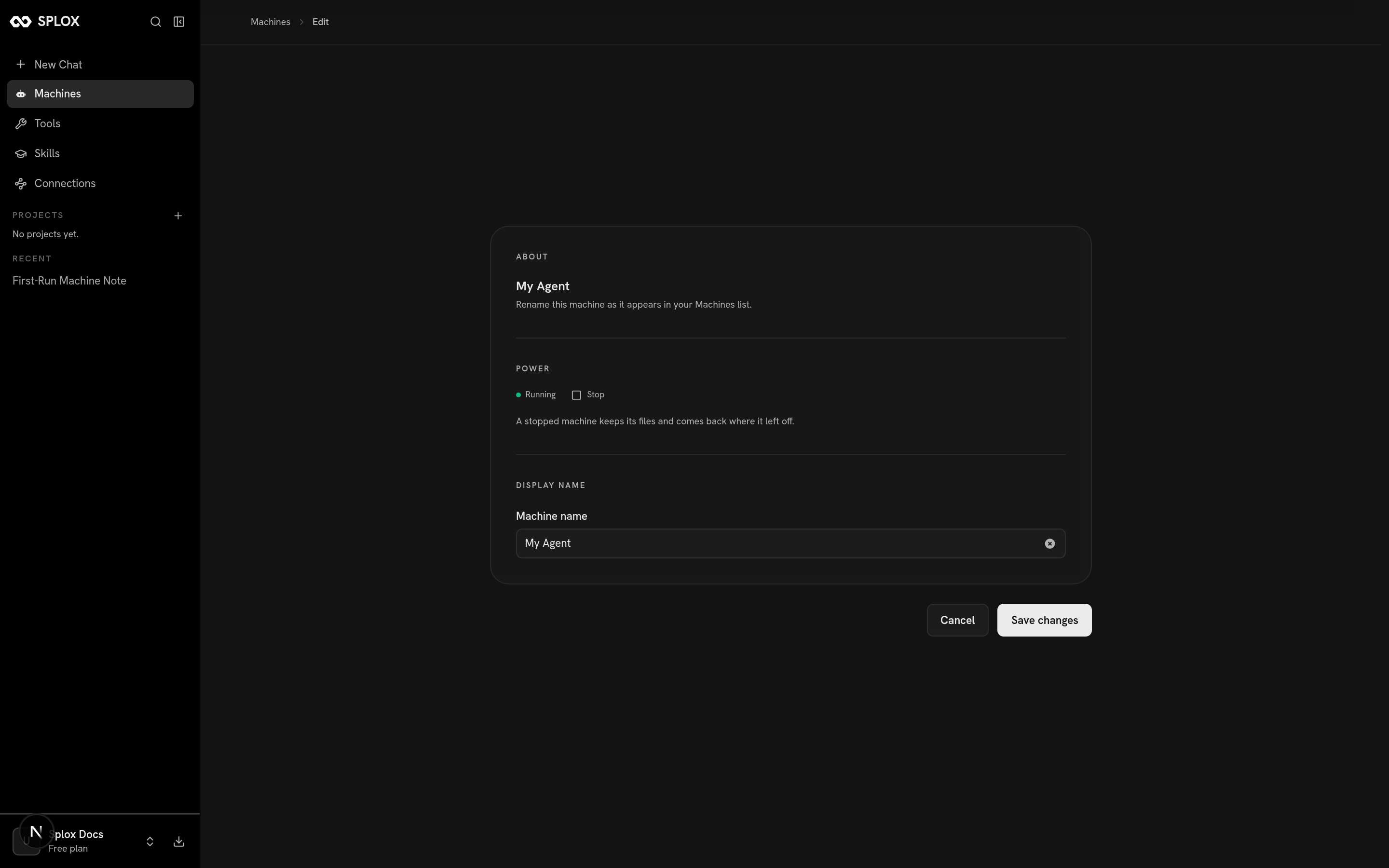 The app says it in one line: *a stopped machine keeps its files and comes back
where it left off.* Stopping is not deleting. What stops is the running state —
the processes, the memory — and what stays is the disk.
On a plan that does not keep machines running, the machine also stops itself once
nothing has used it for a while; `auto_stop_minutes` in the live half above is
that timer — 30 on the free plan. Starting it again is one button, or simply
sending a message.
Anything the agent left running dies with the machine, and only with it. A
program started in one turn keeps running after that turn ends, through the next
chat and into tomorrow — until somebody presses **Stop**, or the plan stops
keeping machines running. Nothing reaps it on a schedule. Write a long-running
program so that starting it twice is harmless and starting it after a stop picks
up where it left off, and "has it stopped?" stops being a question anybody has to
answer.
## What survives, and what does not
| Survives a stop | Does not |
| ----------------------------------------------------- | --------------------------------------- |
| Files anywhere under `/home/daytona` | Running processes |
| The `~/harness` checkout, including uncommitted edits | Anything held only in memory |
| Installed packages | Open network connections |
| Whatever a program wrote to its own state file | A `while True` loop's place in its loop |
The projection of a published version leaves a dirty checkout alone: it will not
overwrite work sitting in the sandbox with the published commit. That is what
makes editing a tool or a prompt in place a reasonable way to develop one.
## One machine, or several
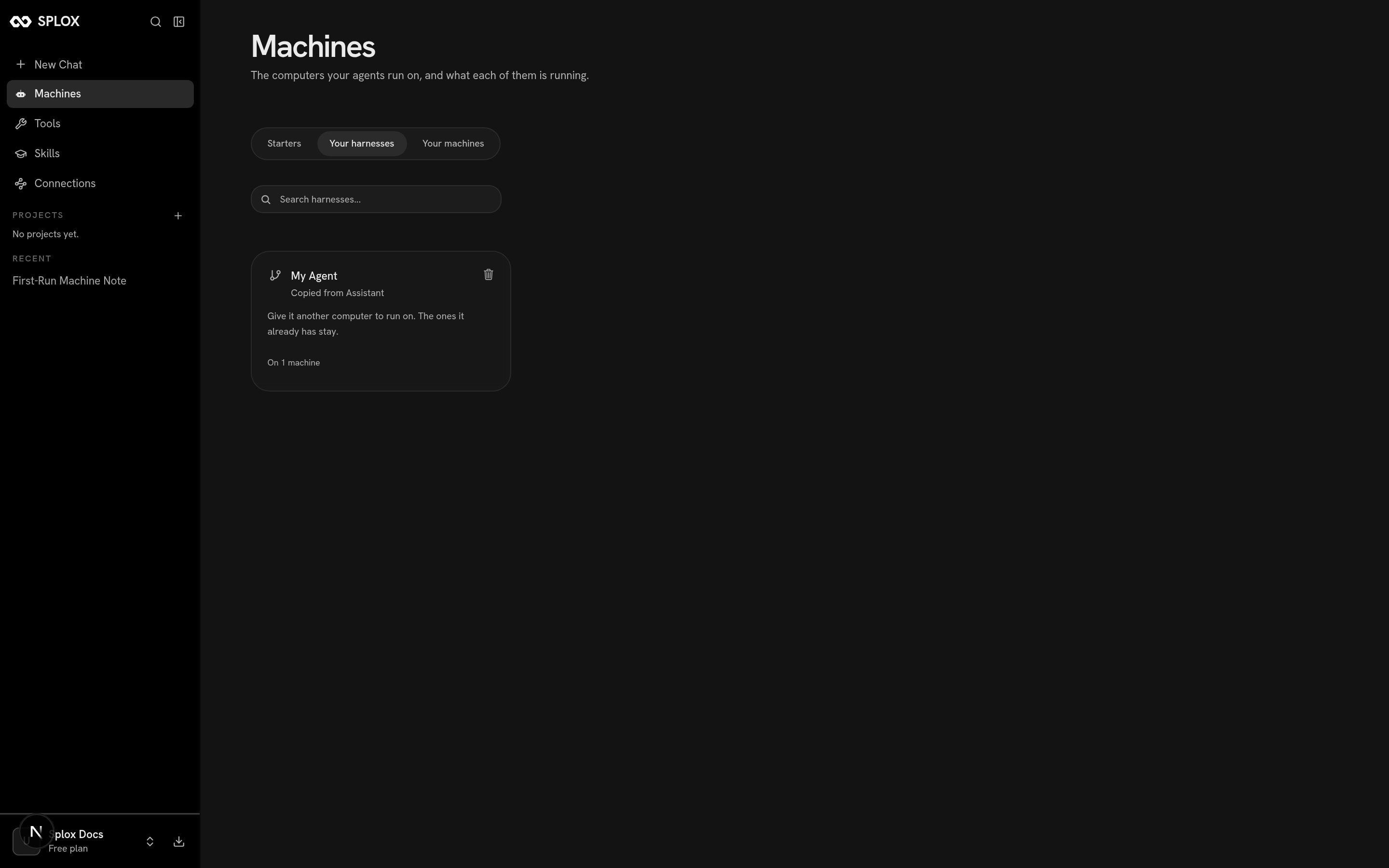
A machine runs one harness. A harness can be given more than one machine — on the
**Your harnesses** tab, the card says *"Give it another computer to run on. The
ones it already has stay."* — and each of those machines is a separate computer
with a separate disk.
The app says it in one line: *a stopped machine keeps its files and comes back
where it left off.* Stopping is not deleting. What stops is the running state —
the processes, the memory — and what stays is the disk.
On a plan that does not keep machines running, the machine also stops itself once
nothing has used it for a while; `auto_stop_minutes` in the live half above is
that timer — 30 on the free plan. Starting it again is one button, or simply
sending a message.
Anything the agent left running dies with the machine, and only with it. A
program started in one turn keeps running after that turn ends, through the next
chat and into tomorrow — until somebody presses **Stop**, or the plan stops
keeping machines running. Nothing reaps it on a schedule. Write a long-running
program so that starting it twice is harmless and starting it after a stop picks
up where it left off, and "has it stopped?" stops being a question anybody has to
answer.
## What survives, and what does not
| Survives a stop | Does not |
| ----------------------------------------------------- | --------------------------------------- |
| Files anywhere under `/home/daytona` | Running processes |
| The `~/harness` checkout, including uncommitted edits | Anything held only in memory |
| Installed packages | Open network connections |
| Whatever a program wrote to its own state file | A `while True` loop's place in its loop |
The projection of a published version leaves a dirty checkout alone: it will not
overwrite work sitting in the sandbox with the published commit. That is what
makes editing a tool or a prompt in place a reasonable way to develop one.
## One machine, or several
A machine runs one harness. A harness can be given more than one machine — on the
**Your harnesses** tab, the card says *"Give it another computer to run on. The
ones it already has stay."* — and each of those machines is a separate computer
with a separate disk.
 How many you may have, and whether they are kept running, comes from the plan:
| Plan | Machines | Kept running |
| ------- | -------- | ---------------------------------------- |
| Free | 1 | No — the machine stops when it goes idle |
| Pro | 1 | Yes |
| Max | 3 | Yes |
| Max 20x | 5 | Yes |
On the free plan a machine still keeps its disk across a stop. What it does not
do is stay up while you are not talking to it, which is the thing a long-running
program needs.
## Which machine a chat runs on
The picker at the top left of a chat is the machine picker, not an agent picker.
It reads the machine's name, and under it the harness and ref that machine runs.
How many you may have, and whether they are kept running, comes from the plan:
| Plan | Machines | Kept running |
| ------- | -------- | ---------------------------------------- |
| Free | 1 | No — the machine stops when it goes idle |
| Pro | 1 | Yes |
| Max | 3 | Yes |
| Max 20x | 5 | Yes |
On the free plan a machine still keeps its disk across a stop. What it does not
do is stay up while you are not talking to it, which is the thing a long-running
program needs.
## Which machine a chat runs on
The picker at the top left of a chat is the machine picker, not an agent picker.
It reads the machine's name, and under it the harness and ref that machine runs.
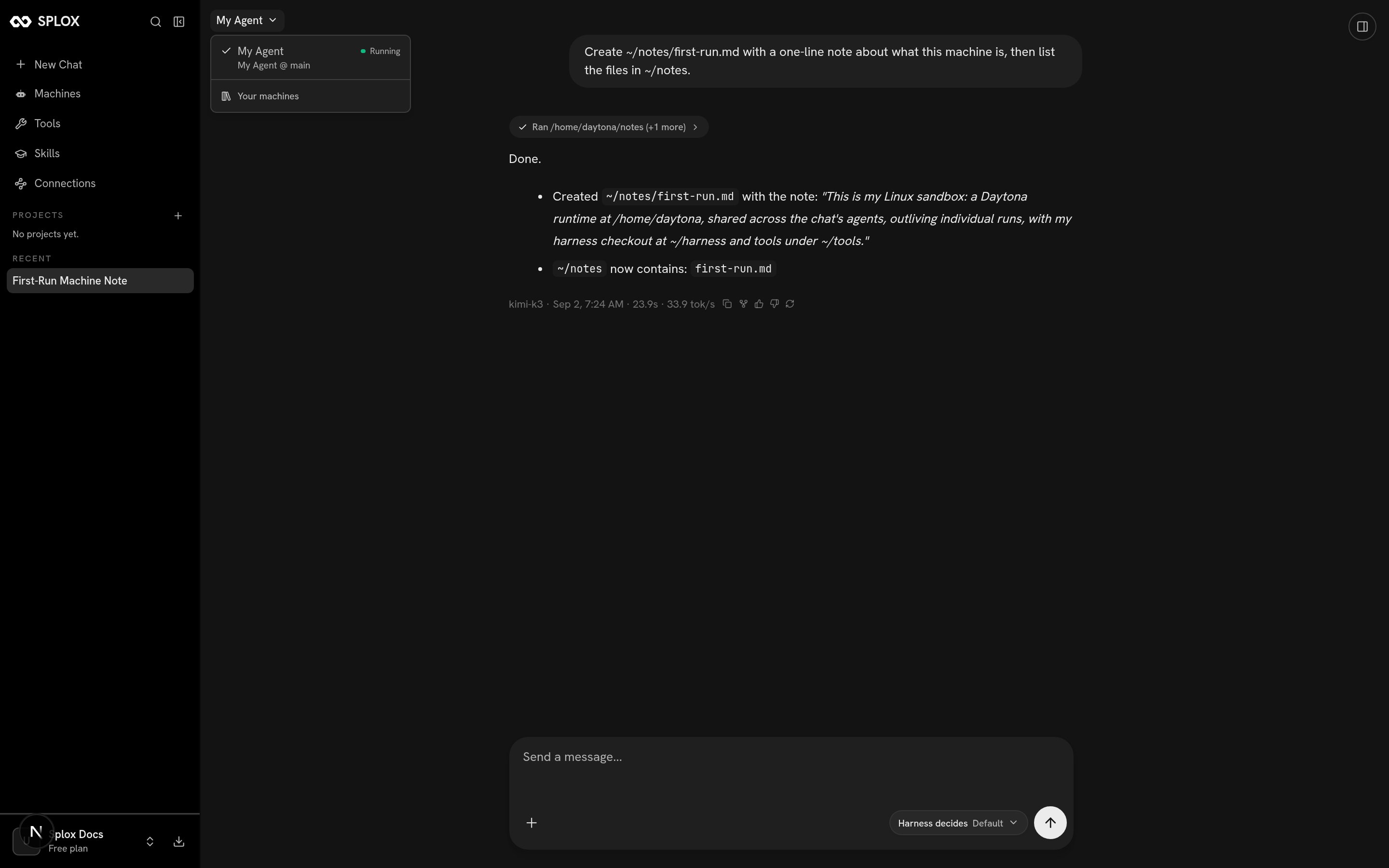 Switching machines switches computers: a different disk, a different checkout,
possibly a different harness. A chat stays on the machine it was started on.
What the machine runs, and how a version reaches it.
The four places a fact can live between runs.
Switching machines switches computers: a different disk, a different checkout,
possibly a different harness. A chat stays on the machine it was started on.
What the machine runs, and how a version reaches it.
The four places a fact can live between runs.