> ## Documentation Index
> Fetch the complete documentation index at: https://docs.splox.io/llms.txt
> Use this file to discover all available pages before exploring further.
# Starters
> Copying a working harness, and what you get when you do
A starter is a harness somebody already wrote, published for you to copy. You do
not start from an empty repository; you start from one that answers messages,
and then you change it.
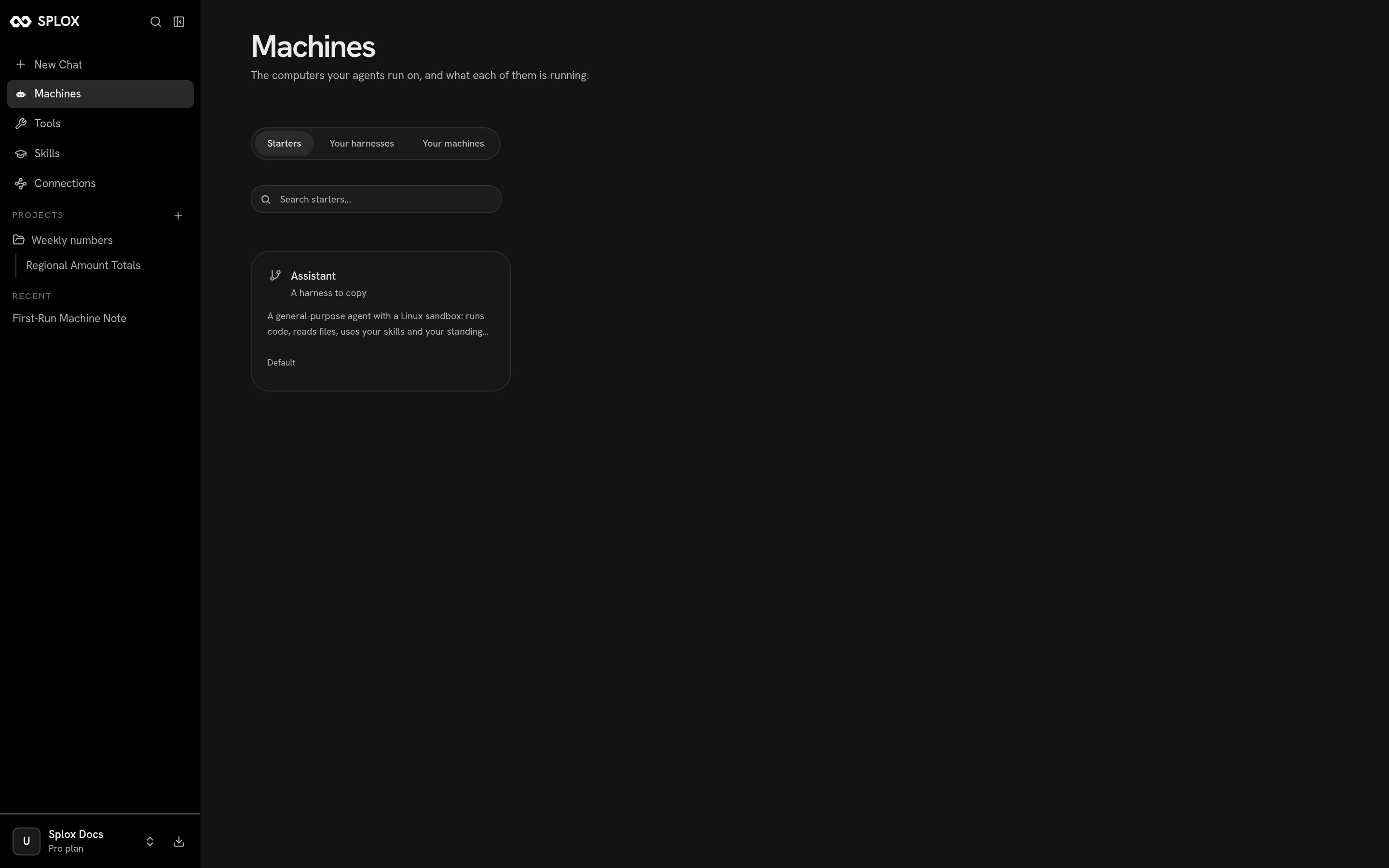 **Assistant** is the one marked *Default*, and it is the starter your account was
given a copy of when you signed up — which is why **Your harnesses** says *Copied
from Assistant* under a harness you never created. It is described as *a
general-purpose agent with a Linux sandbox: runs code, reads files, uses your
skills and your standing notes.*
## Copying one
Click the card. Splox asks where the copy should run, then what to call the two
things it is about to make:
**Assistant** is the one marked *Default*, and it is the starter your account was
given a copy of when you signed up — which is why **Your harnesses** says *Copied
from Assistant* under a harness you never created. It is described as *a
general-purpose agent with a Linux sandbox: runs code, reads files, uses your
skills and your standing notes.*
## Copying one
Click the card. Splox asks where the copy should run, then what to call the two
things it is about to make:
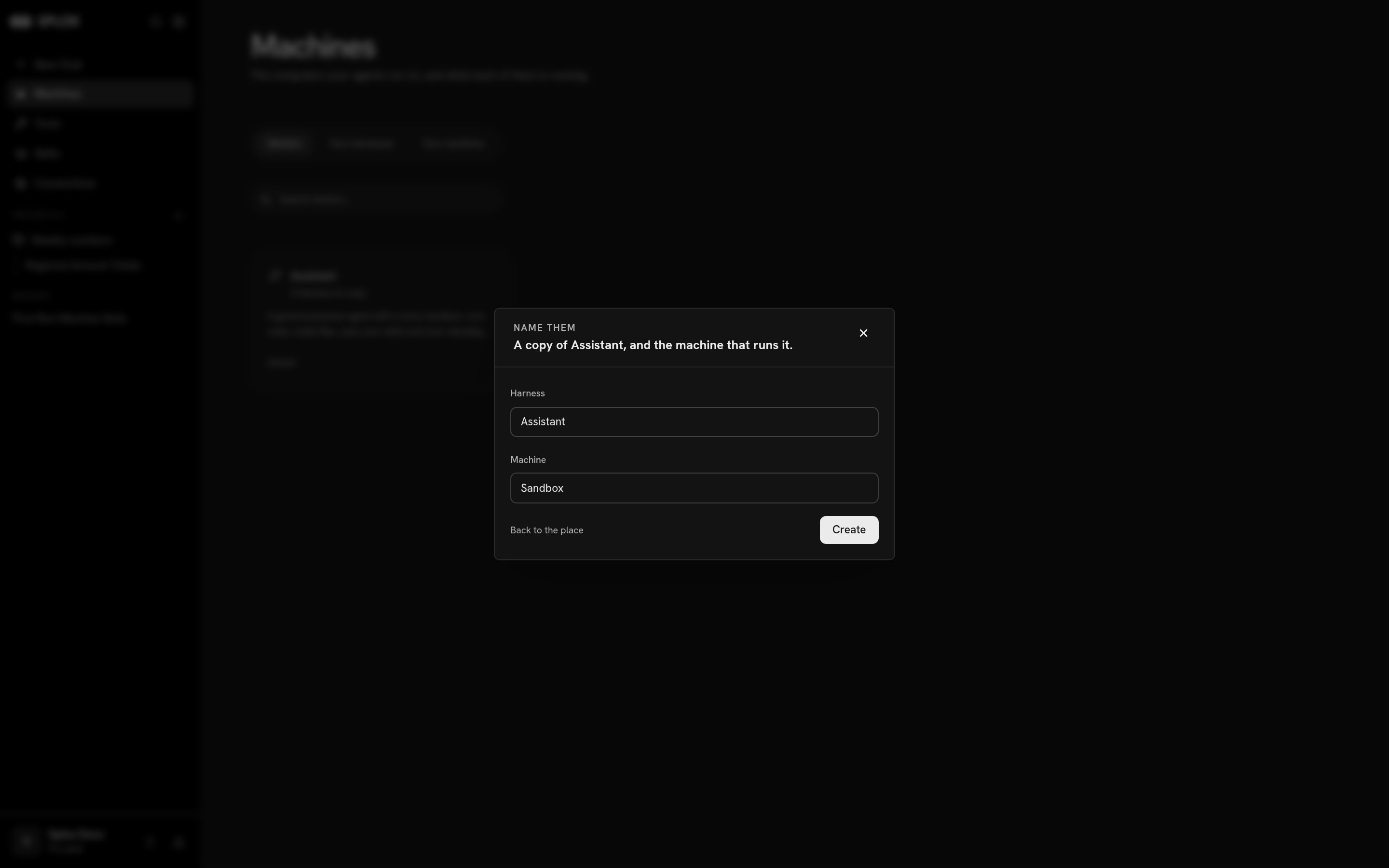 One click creates both: a git repository of your own, seeded with the starter's
tree, and a machine that checks it out and runs it. The names default to the
starter's name and `Sandbox`; change them if you are going to have more than one.
## What you get
A copy is a real repository, not a template you fill in. It carries the
[programs](/concepts/program) the starter declared — `programs/splox/main.py`
with the agents in it, the `hooks/` that shape its runs, the harness's own
`tools/`, its prompts and its evals.
From then on it is yours and it drifts from the original. Publishing a new
version of the starter does not reach into harnesses copied from it, and nothing
you change is pushed back.
## What happens next
The machine checks the harness out at `~/harness`, installs whatever the tree
declares, and starts answering. Nothing else is required of you: open a chat on
the new machine and it works.
To change who that agent is, edit the checkout. The agent can do it for you —
that is what the `~/harness` checkout is for — or you can clone the repository
and push. Either way the next message reads the new file.
The tour of the tree you just copied.
How an edit reaches the machine that runs it.
One click creates both: a git repository of your own, seeded with the starter's
tree, and a machine that checks it out and runs it. The names default to the
starter's name and `Sandbox`; change them if you are going to have more than one.
## What you get
A copy is a real repository, not a template you fill in. It carries the
[programs](/concepts/program) the starter declared — `programs/splox/main.py`
with the agents in it, the `hooks/` that shape its runs, the harness's own
`tools/`, its prompts and its evals.
From then on it is yours and it drifts from the original. Publishing a new
version of the starter does not reach into harnesses copied from it, and nothing
you change is pushed back.
## What happens next
The machine checks the harness out at `~/harness`, installs whatever the tree
declares, and starts answering. Nothing else is required of you: open a chat on
the new machine and it works.
To change who that agent is, edit the checkout. The agent can do it for you —
that is what the `~/harness` checkout is for — or you can clone the repository
and push. Either way the next message reads the new file.
The tour of the tree you just copied.
How an edit reaches the machine that runs it.