> ## Documentation Index
> Fetch the complete documentation index at: https://docs.splox.io/llms.txt
> Use this file to discover all available pages before exploring further.
# Extra usage
> The wallet: what it pays for, when it is used instead of the plan, and how spend is shown
Extra usage is a wallet you put dollars into. It pays for calls once a plan
window is full, at list prices, so work does not stop at the cap on a plan you
are otherwise happy with. It is on Pro and Max; a free account cannot fill it.
The wallet and what it has paid for this cycle sit under **Extra usage** on
**Usage & billing**:
```json theme={null}
{
"extra": {"enabled": false, "spent_micro_usd_this_cycle": 0, "wallet_micro_usd": 0},
"mode": "plan"
}
```
The balance, in microdollars. 1,000,000 µ\$ is one dollar.
Whether the wallet holds anything. There is no switch to flip: extra usage is
on whenever there is money in it, and the screen says *"Extra usage is on."* or
*"Extra usage is off."* accordingly.
Wallet debits for extra-funded calls in the current billing period — the
subscription's own period, `current_period_start` to `current_period_end`, not
a calendar month.
## When the wallet pays
The funding decision is made once per call, before the call runs, and it is
final. There is no splitting of one call between the plan and the wallet.
| Situation | `mode` | Who pays |
| -------------------------------------------- | --------- | ----------------------------------------------- |
| Neither window is full | `plan` | the plan |
| A window is full, the wallet covers the call | `extra` | the wallet, at list price |
| A window is full, the wallet cannot | `blocked` | nobody — [the call is refused](/account/limits) |
The plan and the wallet are two different price scales, and the wallet's is the
list one: the same work costs more out of the wallet than out of the plan
allowance. That is the trade — the plan is the discount you bought, extra usage
is what you pay when you have spent it faster than the pace you bought.
The wallet cannot be driven negative. Extra usage is only granted when the
balance already covers the call, and if a settled charge somehow does not fit,
the wallet is taken to zero rather than below it — so the next call is refused
instead of admitted against money that can never pay.
## Topping up
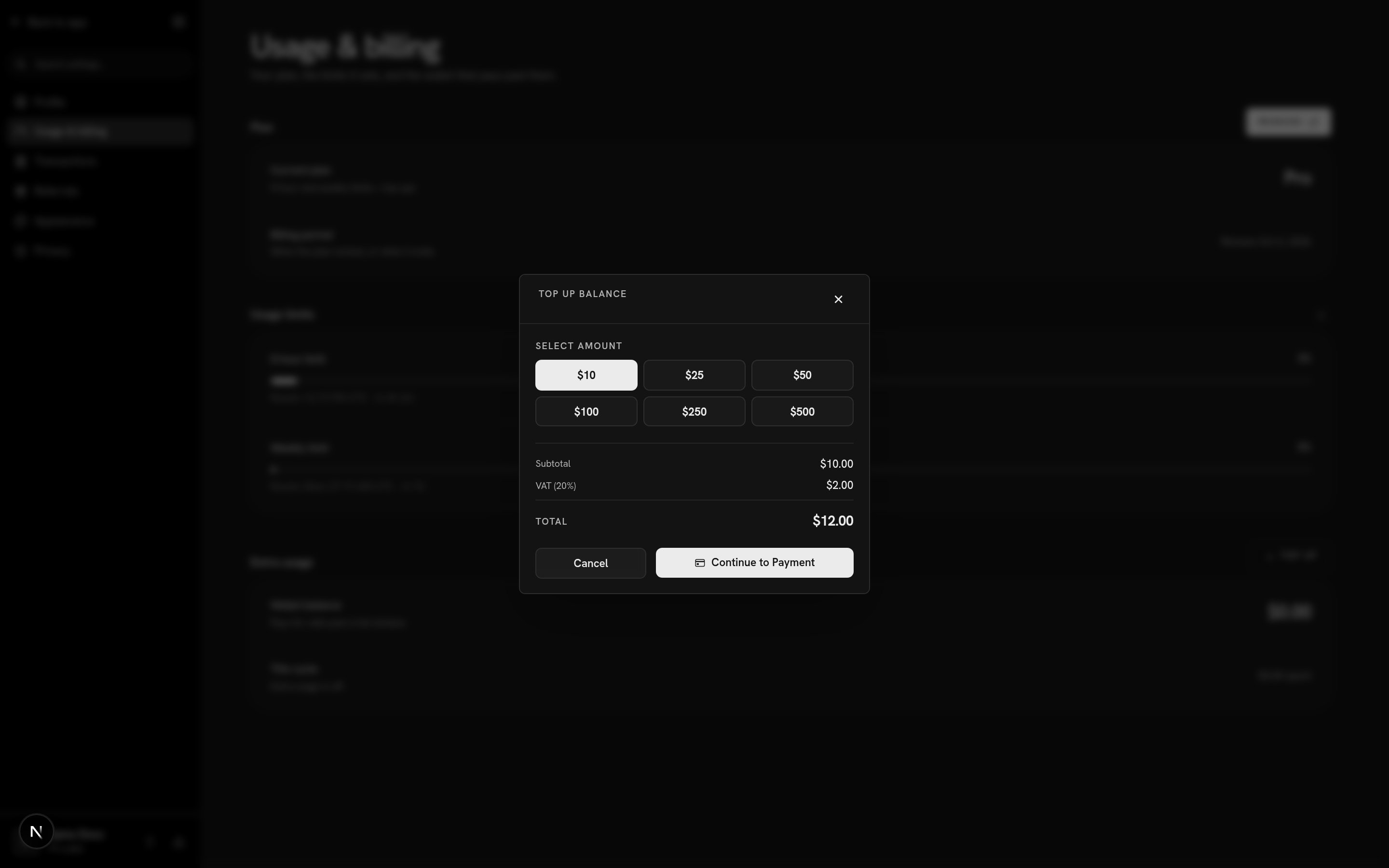 **Top up** on the **Extra usage** section opens this. Six amounts, and only
those six: $10, $25, $50, $100, $250 and $500. Anything else is refused by the
server, not just hidden by the dialog:
```bash theme={null}
curl -s -X POST "$SPLOX_BASE_URL/v1/stripe/create-checkout-session" \
-H "Authorization: Bearer $SPLOX_API_KEY" \
-H "Content-Type: application/json" \
-d '{"amount": 777, "metadata": {"type": "account_top_up"}}'
```
```json theme={null}
{"message": "Invalid top-up amount"}
```
`amount` is in cents, so `1000` is the \$10 preset. A valid request answers
`{"checkout_url": "...", "session_id": "..."}` and you send the person to the
URL. Only one checkout session is pending at a time: starting a new one expires
the last.
The dialog previews tax at a flat 20%. What you are actually charged is set by
Stripe Tax from the billing address on the account, so the total at checkout can
differ from the total in the preview. The figure the wallet is credited with is
the amount you picked, before tax.
On a free account there is nothing to top up:
```json theme={null}
{
"error": "topup_requires_subscription",
"message": "Top-ups are available on Pro and Max plans. Upgrade to enable."
}
```
with status `403`.
## Running low
Two different things can be wrong with a wallet, and the product treats them
differently.
**Low, not empty.** Below $0.50 with the plan windows full, a banner appears
across the top: *"Your balance is low ($0.31). Top up to keep running
harnesses."\* It is dismissible, and it comes back the next time the balance
falls under the line. Free accounts never see it — there is no wallet behind it
to act on.
**Nothing left.** A call that needs the wallet and finds it under the threshold
fails with `out_of_funds`:
```json theme={null}
{
"type": "error",
"error": "out_of_funds",
"message": "Your balance is below $0.50. Top up to continue.",
"threshold_microdollars": 500000,
"balance_microdollars": 0,
"topup_balance_microdollars": 0,
"plan_slug": "pro"
}
```
In the app this one *does* open the top-up dialog, because money is genuinely
what fixes it. That is the whole reason it is a different code from
`usage_window_exceeded` — see [Limits](/account/limits).
## Where the spend is shown
**Usage & billing** shows two figures: the wallet balance, which leads because
it is the number you act on, and `$0.00 spent` for the cycle underneath it.
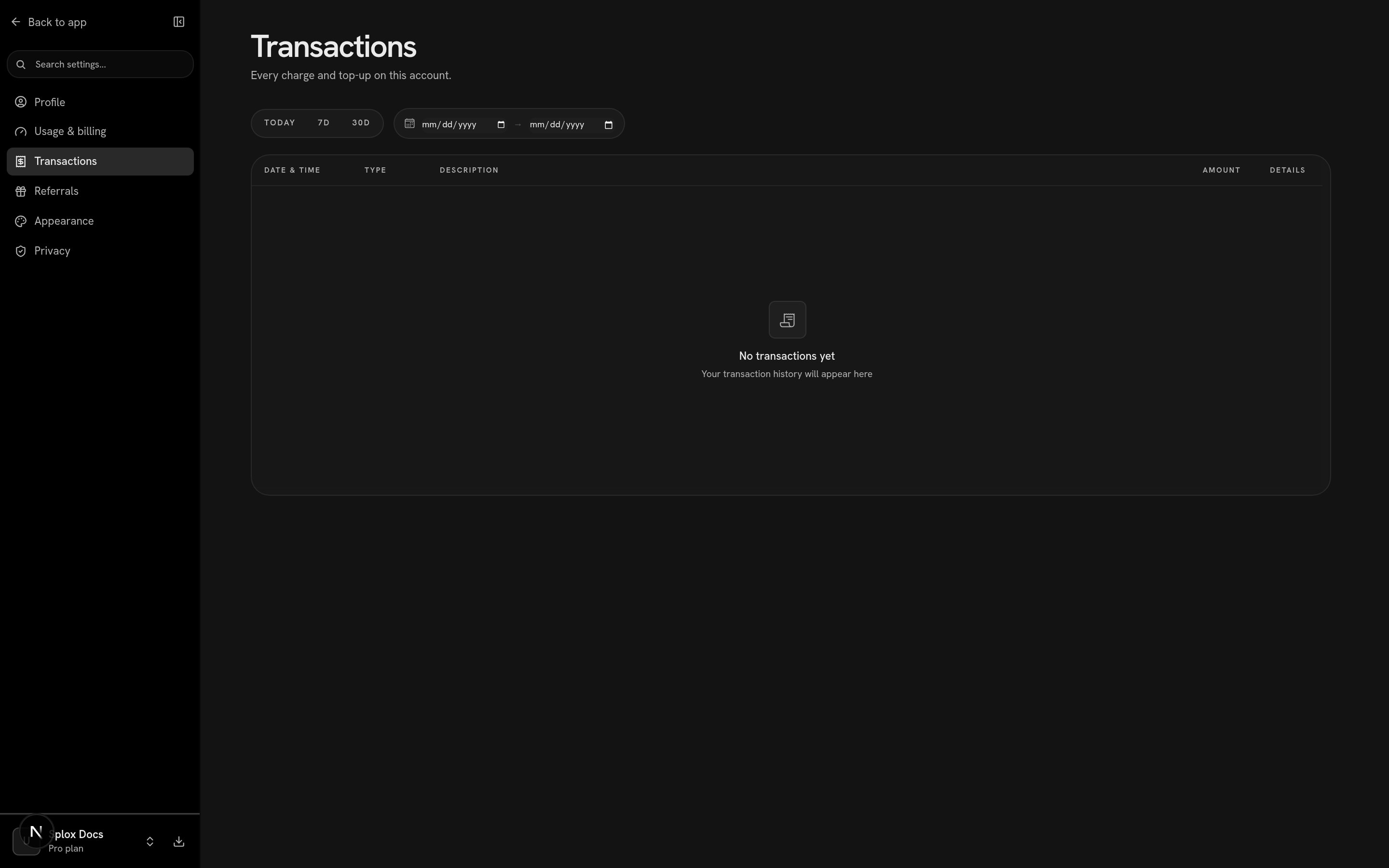
Every individual charge and top-up is on **Transactions**:
**Top up** on the **Extra usage** section opens this. Six amounts, and only
those six: $10, $25, $50, $100, $250 and $500. Anything else is refused by the
server, not just hidden by the dialog:
```bash theme={null}
curl -s -X POST "$SPLOX_BASE_URL/v1/stripe/create-checkout-session" \
-H "Authorization: Bearer $SPLOX_API_KEY" \
-H "Content-Type: application/json" \
-d '{"amount": 777, "metadata": {"type": "account_top_up"}}'
```
```json theme={null}
{"message": "Invalid top-up amount"}
```
`amount` is in cents, so `1000` is the \$10 preset. A valid request answers
`{"checkout_url": "...", "session_id": "..."}` and you send the person to the
URL. Only one checkout session is pending at a time: starting a new one expires
the last.
The dialog previews tax at a flat 20%. What you are actually charged is set by
Stripe Tax from the billing address on the account, so the total at checkout can
differ from the total in the preview. The figure the wallet is credited with is
the amount you picked, before tax.
On a free account there is nothing to top up:
```json theme={null}
{
"error": "topup_requires_subscription",
"message": "Top-ups are available on Pro and Max plans. Upgrade to enable."
}
```
with status `403`.
## Running low
Two different things can be wrong with a wallet, and the product treats them
differently.
**Low, not empty.** Below $0.50 with the plan windows full, a banner appears
across the top: *"Your balance is low ($0.31). Top up to keep running
harnesses."\* It is dismissible, and it comes back the next time the balance
falls under the line. Free accounts never see it — there is no wallet behind it
to act on.
**Nothing left.** A call that needs the wallet and finds it under the threshold
fails with `out_of_funds`:
```json theme={null}
{
"type": "error",
"error": "out_of_funds",
"message": "Your balance is below $0.50. Top up to continue.",
"threshold_microdollars": 500000,
"balance_microdollars": 0,
"topup_balance_microdollars": 0,
"plan_slug": "pro"
}
```
In the app this one *does* open the top-up dialog, because money is genuinely
what fixes it. That is the whole reason it is a different code from
`usage_window_exceeded` — see [Limits](/account/limits).
## Where the spend is shown
**Usage & billing** shows two figures: the wallet balance, which leads because
it is the number you act on, and `$0.00 spent` for the cycle underneath it.
Every individual charge and top-up is on **Transactions**:
 ```bash theme={null}
curl -s "$SPLOX_BASE_URL/v1/billing/transactions?limit=5" \
-H "Authorization: Bearer $SPLOX_API_KEY"
```
```json theme={null}
{
"transactions": null,
"pagination": {"page": 1, "limit": 5, "total_count": 0, "total_pages": 1,
"has_next": false, "has_prev": false}
}
```
`limit` defaults to 20 and is capped at 100; `page` starts at 1. **The default
range is the current calendar month** — pass `start_date` and `end_date` as
`YYYY-MM-DD` to look further back, or the answer will be empty for reasons that
have nothing to do with the account.
This ledger is wallet movement, not invoices. Invoices and receipts for the
subscription itself live in the Stripe portal; [Billing](/account/billing) says
how to get there.
The windows the wallet pays past.
The subscription, invoices, and canceling.
```bash theme={null}
curl -s "$SPLOX_BASE_URL/v1/billing/transactions?limit=5" \
-H "Authorization: Bearer $SPLOX_API_KEY"
```
```json theme={null}
{
"transactions": null,
"pagination": {"page": 1, "limit": 5, "total_count": 0, "total_pages": 1,
"has_next": false, "has_prev": false}
}
```
`limit` defaults to 20 and is capped at 100; `page` starts at 1. **The default
range is the current calendar month** — pass `start_date` and `end_date` as
`YYYY-MM-DD` to look further back, or the answer will be empty for reasons that
have nothing to do with the account.
This ledger is wallet movement, not invoices. Invoices and receipts for the
subscription itself live in the Stripe portal; [Billing](/account/billing) says
how to get there.
The windows the wallet pays past.
The subscription, invoices, and canceling.